
For people who pay in crypto by default, who have no usable card, or who do not want a VPN subscription sitting on a bank statement.
Buy a VPN with crypto
Twelve coins, no card and no account. What a crypto-only checkout changes about what a provider can know, and how to pay without losing the money.
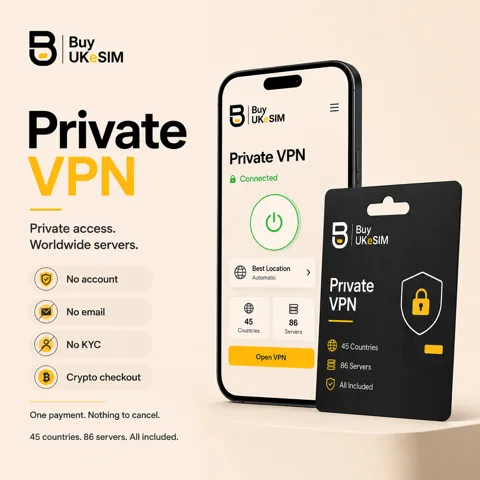
- 12 coins: USDT on TRC20, BEP20 and ERC20, plus USDC, BTC, ETH, SOL, TRX, BNB, XMR, DOGE and LTC
- No card, no invoice, no billing address, no account and no password to reset
- Price set in USD, coin amount quoted live and fixed for your payment window
- The network label matters as much as the address: a wrong-chain send does not credit the order
- No auto-renewal; extend later with the same magic code and the days stack on your current expiry
- Add the VPN at UK number or travel eSIM checkout and pay for both in one transaction
Every VPN plan here is paid for in cryptocurrency, and there is no card to fall back on. That is not a positioning choice made after the fact. A card payment attaches a legal name, a bank, a billing address and a durable customer record to the purchase, and a record that exists can be requested, breached or sold. A crypto payment attaches a transaction and a plan length.
The checkout takes 12 coins: USDT on TRC20, BEP20 and ERC20, plus USDC, BTC, ETH, SOL, TRX, BNB, XMR, DOGE and LTC. The price is set in USD and the coin amount is quoted live when you open the payment, so the figure you send is fixed for the window you are given.
What follows is the whole flow, including the part that goes wrong. If you buy nothing here, the section on wrong-network sends is still the part worth reading, because it applies to every crypto checkout you will ever use.
Related guides: Paying for a VPN with Monero, USDT or Bitcoin →
The 12 coins, and what actually differs between them
Every coin buys the same thing. Each plan includes every server we list and all three protocols, so the coin you choose changes only three things: what the transfer costs you, how long the confirmation takes, and how much of the payment is visible on a public chain.
USDT and USDC are stable, so the quoted amount does not drift while you find your wallet. The network matters more than the coin: TRC20 is usually the cheapest to send, BEP20 is close behind, and ERC20 can cost more in gas than a short plan is worth. TRX and SOL are fast and cheap for the same reason.
BTC is the slowest of the set and its fee can be a real fraction of a short plan, so pick a fee that gets you into the next few blocks rather than the cheapest one offered. XMR is the only coin here where the amount and the addresses are not published on a public ledger, and it confirms a few minutes slower than most.
Every coin also has a minimum the payment gateway will accept. On the shortest plans some coins fall under that minimum and the checkout greys them out. That is not an error on your side: pick another coin, or a longer plan.
What a crypto-only checkout changes about what we can know
There is no card processor in the path, so no part of this system ever receives a cardholder name, a bank, a billing address or a country of issue. There is nothing to reconcile a plan against an identity with, because the identity never enters.
What an order actually holds is short: the plan length, the timestamps, the coin and transaction reference the gateway reports, the credentials issued for the VPN, and an email address only if you chose to type one so the order link could be sent to you. Leave it empty and the 8-character magic code is the only key that exists.
Be clear about the limit of that. This is privacy at the point of purchase, not anonymity on the internet. For every coin except Monero the transaction sits on a public ledger, and the wallet you paid from carries whatever history you have already given it. The checkout does not launder that, and no honest provider claims otherwise.
The mistake that costs people money: the wrong network
USDT is not one thing. The same ticker exists on Tron, on BNB Chain and on Ethereum, and each has its own address format and its own chain. The invoice you are given watches exactly one of them. Send USDT to a TRC20 address from an exchange screen still set to ERC20 and the money leaves your wallet, arrives somewhere real, and is invisible to the order.
Nothing about that is automatic to fix. Funds that land on a chain the invoice is not watching do not credit the plan, do not trigger a delivery, and can only be chased by hand, which is not always possible. It is the most common support case on this site across every product, and it is entirely avoidable.
The fix takes five seconds: before you confirm, check that the network selector in your wallet or exchange matches the network label printed next to the address, not just the coin name. And send the quoted amount in one transaction. Splitting it into two sends, or topping up an underpayment later, leaves the invoice short and the order unpaid.
Confirmation times, and what the order page is doing while you wait
Rough expectations, not promises, because every one of them depends on how busy the chain is: USDT or TRX on TRC20, USDT on BEP20, plus SOL, usually confirm in a couple of minutes. ERC20 transfers depend on gas. XMR takes a few minutes longer than most. BTC depends entirely on the fee you attached.
The order page distinguishes two states, and they mean different things. Waiting means nothing has been seen yet: your transaction has not reached the address, or has not been broadcast. Confirming means the payment has been seen and the network is counting blocks. Waiting for a long time after you know you sent is usually a wrong-network send or a fee too low to be picked up.
If the payment window expires before your transaction confirms, do not send a second one. A late payment on an expired order is never released automatically, exactly so that it cannot be delivered twice or to the wrong person. Contact support with the transaction hash, the coin and the amount, and it gets sorted by hand.
No invoice, no billing address, no subscription you forgot about
There is no invoice carrying a legal name and an address, because we never collect one. Your order page, opened with the magic code, is the record of the purchase: the plan, the dates, the credentials and the configuration files.
There is also no auto-renewal. Nothing recurs, nothing is stored to charge later, and there is no card on file to cancel because there was never a card. The plan simply reaches its end date. To keep going, you enter the same magic code, choose another period and pay again, and the new days are added on top of your current expiry rather than replacing it.
That cuts both ways and it is worth saying: nobody will remind a card into paying for you either. The expiry date is on your order page, and keeping the line running is your job.
What a card subscription knows that this does not
A conventional VPN subscription sits on top of an identity stack. The payment processor knows who you are. Your bank sees the merchant name and the monthly rhythm, which is enough to infer the product. The provider holds an email address, a password hash, a billing country and an account history that grows for as long as you stay a customer.
Here the equivalent is a plan length, two dates and a magic code. The distinction is not that the record is deleted well; it is that most of the record is never created. That is a structural difference, and it is the only kind worth paying attention to.
It changes nothing about what happens on the network itself, and it should not be sold as if it did. Our servers run without disks that persist, and the network is operated so that source IP addresses and connection timestamps are not stored, but you cannot verify that from outside and neither can we prove it to you with a certificate. What you can verify is what the checkout asked you for, which is nothing.
Pay for a VPN plan in cryptocurrency
- 1
Pick the length
Choose 7, 15, 30, 90, 180 or 365 days on /vpn/. Every plan includes every server and all three protocols; longer plans just cost less per day.
- 2
Choose a coin
Pick from the 12 at checkout. A greyed-out coin is one whose gateway minimum is above the plan total, so either pick another coin or a longer plan.
- 3
Match the network
Check that the network shown next to the address matches the network selected in your wallet or on your exchange. This is the step that goes wrong.
- 4
Send the exact amount
Send the quoted figure in a single transaction, with a fee high enough to confirm inside the payment window. Do not split it across two sends.
- 5
Wait for confirmation
The status moves from waiting to confirming to paid. Most coins take a few minutes; BTC and ERC20 depend on the fee and on network congestion.
- 6
Save the magic code
Your order page opens with an 8-character code and holds your username, password, expiry date and the config for every server. Save the code somewhere you will still have it in a year.
Questions & answers
Which cryptocurrencies can I use to buy a VPN?
Twelve: USDT on TRC20, BEP20 and ERC20, plus USDC, BTC, ETH, SOL, TRX, BNB, XMR (Monero), DOGE and LTC. The plan price is set in USD and the coin amount is quoted live when you open the payment. There is no card, PayPal or bank transfer option.
Which coin is cheapest and fastest to pay with?
USDT or TRX on TRC20 is usually the cheapest to send and confirms in a couple of minutes, with BEP20 and SOL close behind. ERC20 costs the most in gas, and BTC is the slowest unless you attach a fee that gets you into the next few blocks.
Do I need an account or an email address to pay?
No. There is no sign-up step at any point. After payment the order page issues an 8-character magic code that opens your credentials and configuration files. The email field is optional and exists only so the order link can be sent to you.
What happens if I send the payment on the wrong network?
The funds leave your wallet and land on a chain the invoice is not watching, so the order is not credited and nothing is delivered automatically. Recovery has to be done by hand and is not always possible, which is why the network label next to the address matters as much as the address itself.
How long after paying do I get the VPN configs?
As soon as the payment confirms on chain, which for most coins is a few minutes. The order page shows waiting, then confirming, then the credentials and per-server configuration files. BTC and ERC20 can take longer depending on the fee and network load.
Why is one of the coins greyed out at checkout?
Each coin has a minimum amount the payment gateway will accept, and on the shortest plans some coins fall below it. Nothing is wrong with your wallet. Choose a different coin, or a longer plan, and the option becomes available.
Will a VPN purchase show up on my bank statement?
No, because no bank is involved. There is no card, no processor and no merchant descriptor. The only trace on your side is the outgoing transaction in your own wallet, which is visible on a public chain for every coin except Monero.
Does paying in crypto make me anonymous online?
No, and no provider should tell you it does. Paying in crypto means the purchase is not tied to your bank identity. It does not change what your device leaks, what you log into afterwards, or the fact that most chains are public. It is privacy at checkout, not anonymity on the network.
Can I buy the VPN and an eSIM in the same payment?
Yes. The VPN is selectable as an add-on at UK number and travel eSIM checkout, so one crypto payment covers both and one magic code opens the eSIM QR and the VPN configs on the same order page.
More topics
Related guides
Buy a VPN with crypto
Twelve coins, no card and no account. What a crypto-only checkout changes about what a provider can know, and how to pay without losing the money.
See VPN plans