
For people who refuse to create another account, and for anyone who wants fewer companies holding a password of theirs.
VPN with no account
No email, no password to invent, no sign-up form. One 8-character code opens your plan, and it is the only key that exists.
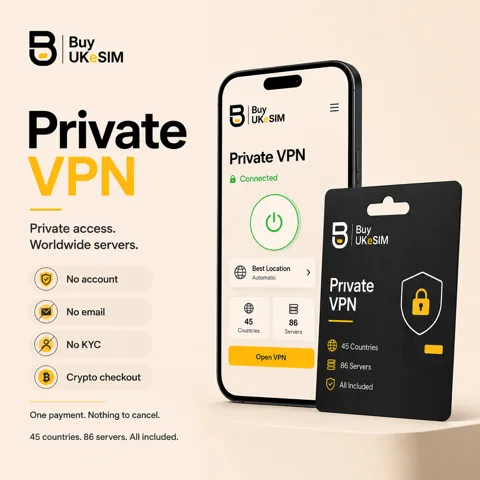
- No sign-up, no email requirement, no password of yours anywhere in the system
- An 8-character magic code opens the plan, the credentials and every server config
- No password reset exists, so the code has to outlive the plan you bought
- The order holds a plan length, timestamps, a payment reference and issued credentials, nothing more
- One code can open an eSIM QR and the VPN configs when both are on the same order
- No auto-renewal: extend with the code and the new days stack on your current expiry
There is no sign-up step here. Not a quick one, not a social login, not an email confirmation. You choose a plan length, pay in crypto, and the order page issues an 8-character magic code. That code is what you keep, and it is what opens everything afterwards.
This is the actual architecture of the product rather than a privacy slogan bolted on top. Nothing in the system needs to know who you are in order to work, so nothing asks.
It has a real cost, and the honest version of this page has to lead with it: there is no password reset, because there is no password of yours to reset. Lose the code with no email on the order and you have lost the plan. Everything else on this page follows from that trade.
Related guides: What a no-KYC checkout does and does not do →
What replaces the account: one 8-character code
When the payment confirms, the order page opens with a magic code at the top. Entering that code anywhere on the site brings the same page back: your plan, its expiry date, the username and password your VPN clients use, a download for every server and protocol, and the button that extends the plan.
The VPN servers themselves do check a username and password, because that is how the protocol works. The difference is that we issue those to the order rather than asking you to invent them, they are not an email address, and they are not reusable anywhere else. They identify a paid plan, not a person.
The email field at checkout is optional and does exactly one thing: it sends you the link to your own order page. Leave it empty and no address exists anywhere in the record. Fill it in and you have a second way back to the code, which for most people is the sensible trade.
What happens if you lose the code
Say the honest thing first: there is no recovery flow. No forgotten-code email, no security questions, no support agent who can look you up by name, because there is no name in the record to look up. This is the price of not being asked for one.
Two things can still save you. If you left an email address at checkout, the order link can be sent again. If you did not, but you can produce the payment itself, the transaction hash, the coin, the amount and roughly when you sent it, support may be able to match that against the order by hand. That is a manual lookup on evidence, not a guaranteed mechanism.
The practical answer is boring and it works: paste the code into a password manager the moment it appears, or email it to yourself from the order page. It is eight characters. It has to outlive the plan you bought, which may be a year.
No account is not the same as anonymous
Not having an account means very little data about you is created. It does not mean none. The order holds a plan length, the timestamps around payment and expiry, the coin and transaction reference the payment gateway reported, the VPN credentials issued, and an email address only if you typed one. That is the complete list, and it is short on purpose.
Your requests still arrive from an IP address, the way every web request does, and the payment for every coin except Monero sits on a public chain. If the connection matters to you as well as the record, the whole store is mirrored on a Tor onion service linked in the site footer, and the catalogue, checkout and delivery all work inside it.
And the VPN itself is not an anonymity tool. It encrypts the path between your device and the server you picked and shows the server IP to the services you visit, which is genuinely useful, but every account you log into afterwards still knows exactly who you are. A VPN moves trust from the local network to the VPN network. That is the whole claim, and anyone promising more is selling.
One code across products, not three logins
The VPN can be added at UK number checkout or travel eSIM checkout as part of the same order. One crypto payment, one order page, one magic code that opens the eSIM QR and the VPN configuration files side by side.
That is worth more than it sounds. The reason most people end up with accounts everywhere is that each product wants its own login. Here a UK line at $25, prepaid travel data from $1.99 and a VPN plan can be one row you can reopen with eight characters.
One rule when you combine them: turn the VPN off before you scan an eSIM QR. The profile download has to reach the operator directly, and a VPN, proxy or private relay in the path makes the install fail. Switch it back on once the eSIM is installed.
Extending a plan when there is nothing to log in to
Nothing renews on its own. There is no card on file, no stored payment method and no subscription to cancel, so the plan simply reaches its end date and stops.
To keep going, you enter the same magic code, choose a new period and pay again. The days are added on top of your current expiry rather than replacing it, and your username, password and configuration files stay exactly as they were, so nothing has to be reinstalled on your devices.
This is the other reason the code matters. It is not only how you reach the configs you have today, it is how you keep the same account alive across years without ever creating one.
What you give up by not having an account
No self-service recovery, as above. No purchase history beyond the order page you can open. No app of ours: the configs go into the official WireGuard client, OpenVPN Connect or an Xray-based client, and those apps hold the connection, not us.
Treat the configuration files themselves as keys. They contain the credentials, they work on any device, and a plan allows five simultaneous connections shared across whoever holds them. Sending a config to a friend is not sharing a link, it is handing over part of your plan.
For a lot of buyers that trade is obviously worth it, and for some it is not. If you want a dashboard, a subscription that renews itself and a support line that knows your name, a conventional provider serves you better, and that is a real answer rather than a polite one.
Get a VPN without creating an account
- 1
Choose a plan length
Pick 7, 15, 30, 90, 180 or 365 days on /vpn/. There is no form before this and no form after it.
- 2
Pay in crypto
Choose one of the twelve coins and send the quoted amount. No name and no card details are requested at any point, and an email only if you choose to leave one.
- 3
Save the magic code
The order page opens with an 8-character code. Put it in a password manager immediately. Optionally leave an email at checkout so the link can be resent.
- 4
Download the config you need
Pick a server and a protocol on the order page and download the WireGuard .conf or QR, the .ovpn file, or the VLESS link, then import it into the matching client.
- 5
Come back with the code
The same eight characters reopen the page for a different server, a new device, or to extend the plan. Nothing else is ever needed.
Questions & answers
Can I use a VPN without creating an account?
Yes. There is no sign-up step at any point. You pick a plan length, pay in crypto, and the order page issues an 8-character magic code that opens your credentials and configuration files. No email address, username or password of yours is ever requested.
What is the magic code and where do I get it?
It is an 8-character code shown on your order page as soon as the payment confirms. Entering it anywhere on the site reopens that page with your plan, expiry date, VPN username and password, and the configuration file for every server and protocol.
What happens if I lose my magic code?
There is no password reset and no recovery email unless you left an address at checkout, in which case the order link can be sent again. If you did not, support may be able to match a transaction hash, coin and amount against the order by hand, but that is a manual lookup rather than a guarantee.
Do I need to give an email address?
No. The email field is optional and its only function is to send you the link to your own order page. Leave it empty and no address exists in the record at all; fill it in and you have a second route back to your code if you lose it.
Does no account mean I am anonymous?
No. It means very little data about you is created: a plan length, timestamps, a payment reference and the issued credentials. Your requests still come from an IP address, most chains are public, and the services you log into still know who you are. It is privacy at checkout, not anonymity online.
How do I renew without an account?
Enter the same magic code on the site, choose another period and pay again. The new days are added on top of your current expiry rather than replacing it, and your username, password and configuration files stay the same, so nothing needs reinstalling.
Can one code cover both an eSIM and the VPN?
Yes, when they are bought on the same order. The VPN is selectable as an add-on at UK number and travel eSIM checkout, and the resulting order page holds the eSIM QR and the VPN configuration files together behind one code.
Is there an app to log into?
No. The configuration files go into the official WireGuard client, OpenVPN Connect, or an Xray-based client such as the ones that accept a VLESS link. There is no BuyUKeSIM app and therefore no in-app account.
More topics
Related guides
VPN with no account
No email, no password to invent, no sign-up form. One 8-character code opens your plan, and it is the only key that exists.
See VPN plans