
For people who move real volume: large downloads, backups, P2P and long video sessions on a plan that does not count them.
Unlimited VPN
No data cap, no throttling tier, no P2P restriction. Also the limits that do exist, what really decides your speed, and how to make a slow session faster.
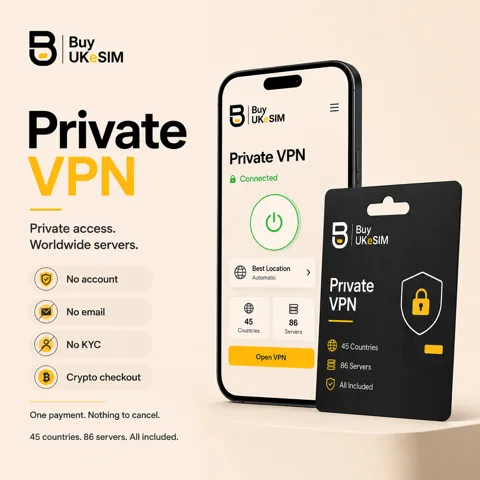
- Bandwidth is not metered: no monthly allowance, no counter, no throttling tier
- P2P allowed on the network, with no separate P2P server list to hunt for
- Servers sit on 1 Gbps ports and every plan includes every server and all three protocols
- Five simultaneous connections per plan; a router counts as one and covers the devices behind it
- Shared pool, so no dedicated IP and no port forwarding
- Distance, your own line, the protocol and your hardware decide real speed, so no figure is promised
Bandwidth on these plans is not metered. There is no monthly gigabyte allowance, no counter that runs down, and no tier you drop into after a threshold. P2P is allowed on the network rather than pushed onto a separate list of servers, and the machines sit on 1 Gbps ports.
That is the true part of the word unlimited, and this page stops there. There is no speed figure anywhere on it, because a number like that describes a lab and not your evening. What you actually get depends on the distance to the server, your own line, the protocol you picked and the device doing the encryption.
So the useful version of this page is two lists: what genuinely has no cap, and what does. Then the part most people came for, which is why a session is slow and what to change.
Related guides: Installing a WireGuard config on any device →
What unlimited covers here, precisely
Data is not counted. Move a hundred gigabytes in a weekend or nothing at all and the plan behaves the same way, because plans are sold by days and not by volume. Nothing throttles you after a threshold, because there is no threshold.
P2P is allowed. There is no separate P2P server group to hunt for and no protocol that is quietly blocked, so the choice of server is about distance rather than permission.
Every plan carries the whole network. A 7-day plan reaches the same servers, in the same countries, with the same three protocols, as a 365-day plan. Longer plans cost less per day and that is the only difference between them.
The limits that do exist
Five simultaneous connections per plan. That is the real cap and it is worth planning around: a phone, a laptop and a tablet are three of the five. A router counts as one connection and covers everything behind it, which is usually the efficient way to use a household.
Everyone shares the server pool. There is no dedicated IP and no port forwarding, so you are not reachable from the outside on a chosen port. For P2P clients that means you connect out to peers rather than accepting inbound connections, which can lower your peer count on some trackers even though transfers still work.
The plan itself has an end date. It runs for the number of days you bought, nothing renews automatically, and you extend by entering the same magic code and paying for another period, which stacks on top of your current expiry.
What actually decides your speed
Distance to the server, first and by a wide margin. Every packet makes a round trip, and a server on another continent adds latency that no amount of bandwidth compensates for. Connecting to a country near you and connecting to a country far away are different products in practice, even on the same plan.
Your own connection is the second ceiling. A VPN cannot be faster than the line it runs over, and it will not fix congested Wi-Fi, a busy evening on a shared home line, or a laptop sitting three rooms from the access point. Test your line without the VPN first so you know what you are comparing against.
Protocol matters more than most people expect. WireGuard is the fastest and the lightest on battery, and it is the right default. OpenVPN is slower but gets through networks that only pass TCP. VLESS runs through a CDN route and exists for networks where the other two are blocked; it is a censorship tool, not the one to pick for a large transfer.
Then the mobile leg. Carriers shape and deprioritise traffic, especially on roaming and on cheaper plans, and an old phone or a low-end router may simply lack the processing headroom to encrypt at line rate. Neither is something a VPN provider can change.
P2P in practice
Because there is no metering and no separate P2P tier, the practical advice is simply to pick a server close to you and leave it. Distance costs more throughput on long-running transfers than any protocol tweak recovers.
Remember the connection cap when you seed. A desktop, a NAS and a phone are three of your five, and a router that covers all of them is one, which is usually the better arrangement for a household that moves a lot of data.
What the network allows and what the law where you live allows are different questions. The plan does not restrict P2P; you remain responsible for what you transfer.
What we will not promise
No speed number. Not a megabit figure, not a percentage of your line, not a best case measured somewhere convenient. Everything real depends on distance, your line, the hour and your hardware, and any provider quoting one number for all of that is quoting a marketing page.
And not unlimited everything. Connections are capped at five, there is no dedicated IP or port forwarding, and the plan ends on a date. Those are the honest edges of the word.
On refunds, the line is drawn where it can be tested: if the service does not connect on any server after we have worked through it with you, that is refunded. One slow server, or a change of mind, is not, because the fix for a slow server is a different server or a different protocol. The full policy is on /refund/.
No app of ours, and why that helps rather than hurts
You connect using the official WireGuard client, OpenVPN Connect, or an Xray-based client for VLESS. There is no BuyUKeSIM app in the path, which means no vendor wrapper between you and the protocol and no update of ours that can slow your connection down.
It also means you choose the client. If a newer WireGuard build is faster on your platform, you get it the day it ships rather than when a provider rebuilds their app around it.
The cost is the first ten minutes: one QR scan or one file import per device, per server you want saved. After that, switching servers is choosing a different tunnel in a client you already have.
Make a slow VPN session faster
- 1
Measure without the VPN
Run a speed test with the tunnel off and note the result. That number is your ceiling, and it stops you chasing a problem that is in your own line.
- 2
Move to a nearer server
Reconnect to the closest country we list rather than the one you assume you need. Latency to the server is the single biggest factor in how fast a session feels.
- 3
Switch to WireGuard
If you are on OpenVPN, import the WireGuard config for the same server. It is the fastest of the three protocols and the lightest on a phone battery.
- 4
Do not use VLESS for bulk transfers
VLESS goes through a CDN route and exists for networks that block the other protocols. Keep it for censored networks and use WireGuard where WireGuard works.
- 5
Check the local link
Move closer to the access point or use 5 GHz or a cable, and see whether another device on the network is saturating the line. Retest at a quieter hour before blaming the server.
- 6
Try a second server, then ask
Different machines in the same region behave differently at peak. If nothing connects on any server after that, contact support with what you tried, because that is the case we treat as a fault rather than a slow evening.
Questions & answers
Is the VPN really unlimited?
Bandwidth is not metered: there is no monthly gigabyte allowance, no counter and no slower tier after a threshold, and P2P is allowed. What is limited is simultaneous connections, capped at five per plan, and the plan itself runs for the number of days you bought.
How fast is it?
We do not publish a speed figure, because a single number would describe a test and not your connection. Real throughput depends on your distance to the server, your own line, the protocol and your device. WireGuard on a nearby server is the fastest combination available on the plan.
Is P2P allowed?
Yes, on the network generally rather than on a separate list of P2P servers. There is no port forwarding and no dedicated IP, so your client connects out to peers instead of accepting inbound connections, which can reduce peer counts even though transfers work normally.
How many devices can I use at once?
Five simultaneous connections per plan, sharing the same username and password. A phone, a laptop and a tablet use three of them. A router counts as a single connection and covers every device behind it, which is usually the better arrangement for a household.
Why is my connection slower with the VPN on?
Some loss is unavoidable because traffic is encrypted and routed through another point, but a big drop usually means distance to the server, a congested local link, or the wrong protocol. Try a nearer server, switch to WireGuard, and test your line with the tunnel off to see your real ceiling.
Should I use VLESS for large downloads?
No. VLESS runs through a CDN route and exists for networks where WireGuard and OpenVPN are blocked. It is the censorship fallback, not the throughput option. Use WireGuard wherever WireGuard connects.
Do you throttle heavy users?
No. There is no threshold that changes your speed and no traffic class that a heavy account is moved into. Servers are shared, so a busy machine at peak can be slower than a quiet one, and the fix for that is picking a different server in the same region.
Can I get a refund if it is slow?
A single slow server is not a refund case, because switching server or protocol is the fix and it usually works. If the service does not connect on any server after we have troubleshot it with you, that is refunded. The full policy is on the refund page.
More topics
Related guides
Unlimited VPN
No data cap, no throttling tier, no P2P restriction. Also the limits that do exist, what really decides your speed, and how to make a slow session faster.
See VPN plans