
Microsoft refuses Voice over IP numbers for verification. BuyUKeSIM sells a real UK mobile carrier line delivered as an eSIM, not a VoIP service.
Using a UK Number for Microsoft Account Verification
A real +44 carrier line, which is the category Microsoft accepts, unlike VoIP and virtual numbers.
- Microsoft refuses Voice over IP numbers for verification and asks for a mobile number instead.
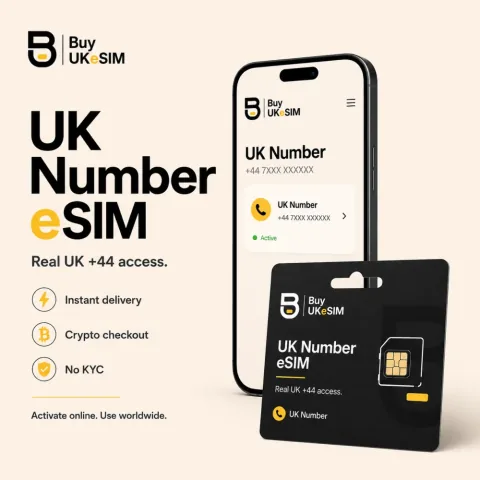
- Our line is a real UK mobile carrier number on +44, delivered as an eSIM QR, not VoIP and not pooled.
- It receives Microsoft codes by text message and by automated call, unlimited and worldwide over roaming.
- Phone extensions are not supported by Microsoft security info and are removed before a call is placed.
- No mobile data on this line. Keep your usual SIM or a travel data eSIM for internet.
- Keep a second recovery method such as the Authenticator app. We never guarantee any service accepts any number.
Microsoft accounts use a phone number as security info. It receives a verification code by text message or by an automated call when you sign in from a new device, reset a password, or confirm a change to your account. This is the one page in this set where the type of number is the deciding factor, because Microsoft users regularly hit an outright refusal that has nothing to do with their identity or country.
The refusal is of Voice over IP numbers. Microsoft users report the error stating that Voice over IP numbers are not accepted and asking them to try a different number, and the guidance given is to add a mobile phone number instead. Our UK number is a real United Kingdom mobile carrier line delivered as an eSIM QR, so it belongs to the accepted category rather than the refused one. We still never guarantee acceptance.
Why so many numbers get refused here
Microsoft treats a phone number as a possession factor and as an account recovery route, and both jobs depend on the number being hard to obtain and hard to hand around. VoIP and virtual numbers fail that test. They can be created in bulk, discarded, and reassigned, and they are not anchored to a carrier subscription in the way a mobile line is, which makes them attractive for automated account creation and abuse.
That is why users of services like web calling numbers repeatedly report being blocked when they try to add one as security info, and why the recommended fix is to supply a genuine mobile number. It is not a judgement about you. It is a category rule applied to the number itself, and a number either is or is not a carrier mobile line.
What our UK number is
It is a real United Kingdom mobile carrier line on the +44 range. It arrives as an eSIM QR rather than a plastic SIM, which changes how it is delivered but not what it is on the network. It is not a VoIP service, not a web number, and not a slot in a shared pool that other people also receive messages on.
Incoming SMS and incoming calls are unlimited and work worldwide over roaming, so both Microsoft verification routes reach you, the text message and the automated call, wherever you are. The line carries no mobile data at all, so keep your usual SIM or a travel data eSIM for internet and let the +44 profile sit alongside it as a dedicated receiving line.
Why the phone step is a possession check and not an identity check
It is worth being precise about what Microsoft is testing, because it explains both the VoIP refusal and the limits of what a number buys you. The verification code answers one question: does the person acting on this account right now physically hold the device that the account was tied to. It defends against a password that leaked in an unrelated breach, against phishing, and against someone who has your email address but not your handset.
Nothing in that process establishes who you are. Microsoft is not reading your name off the line and it does not learn your address from it. The number is a token that is expensive to steal, which is exactly why the platform cares whether the number is a real carrier line: a token anyone can mint for free protects nothing, so the whole control collapses if VoIP ranges are allowed in.
The same reasoning explains why Microsoft and others are steadily moving toward authenticator apps and passkeys, and why a number should not be your only route back into an account. A phone line can be lost, ported away by an attacker who persuades a carrier, or left behind when you change country. Keep more than one recovery method on any account you cannot afford to lose.
The honest ceiling on all of this
We sell without KYC, which means we do not ask you for identity documents in order to sell you a line. That removes identity paperwork at the point of purchase and nothing else. It does not remove IMEI, IP or carrier records, and it does not bypass any identity check that Microsoft or any other service chooses to run on its own account holders.
We also never guarantee that any service accepts any number, and we do not refund because a service rejected one. Microsoft can change its rules, flag an account for unrelated reasons, or temporarily block code delivery after repeated attempts. Buying a real carrier line puts you in the category that is normally accepted. It does not buy a promise, and we will not pretend otherwise.
How to add or change a phone number in Microsoft security info
- 1
Sign in to your Microsoft account and open Security, then the security info or advanced security options area. Review every method already listed there. Before changing anything, make sure at least one other method you can actually use is present, such as an alternate email or the Microsoft Authenticator app, so a failed change does not lock you out.
- 2
Add the new number as a sign-in and verification method, choosing whether you want codes by text message or by automated call. Enter the number in full international format with the country code. Microsoft sends a code that you enter to confirm the line. Use a mobile carrier number, since Voice over IP numbers are refused with a message telling you to try a different number, and note that phone extensions are not supported and are stripped before a call is placed.
- 3
If you need a line that falls in the accepted category, a BuyUKeSIM UK number is a real United Kingdom mobile carrier line on the +44 range delivered as an eSIM QR, not a VoIP or pooled number. Install the profile, leave the line switched on, and allow it to register on the network before you use it, which takes one to six hours in some countries.
- 4
If the code does not arrive, work down this ladder rather than retrying. Check the eSIM line shows signal and is enabled to receive SMS. Ask a different service to send a code to that line, which proves whether the line works at all. Turn on Data Roaming for the eSIM line. Dial *132# or *#100# on the eSIM line to read your own number back and compare it with what you typed. Then wait, since first registration can take several hours.
- 5
Stop pressing send code again. Repeated or rapid requests can cause Microsoft to temporarily block delivery to your number, which turns a slow code into no code at all. If you have already triggered that, wait it out and use another verification method already on the account instead, then fix the number once you are signed in.
- 6
Once the new number is confirmed and has delivered a live code, remove the old number from security info and add a second independent method. The Microsoft Authenticator app or a passkey is stronger than SMS and does not depend on a line you might lose when you change country or device.
Questions & answers
Microsoft told me it does not accept Voice over IP numbers. Will this line work?
It is a real United Kingdom mobile carrier line on the +44 range, which is the category Microsoft asks for, rather than a VoIP or web number, which is the category it refuses. That is the reason people choose it for this. We still never guarantee that any service accepts any number and we do not refund because a service rejected one, since Microsoft can change its rules or flag an account for reasons unrelated to the line.
Does buying without KYC mean my Microsoft account is anonymous?
No, and we will not imply otherwise. No KYC means we do not ask you for identity documents in order to sell you the line. It removes identity paperwork at the point of purchase and nothing more. It does not remove IMEI, IP or carrier records, and it has no effect on any identity check Microsoft chooses to run on its own account holders or on the details already attached to your account.
Can I receive the code if I am outside the UK?
Yes. Incoming SMS and incoming calls are unlimited and work worldwide over roaming, so both the text message and the automated call routes reach you wherever you are. There is no mobile data on the line, so keep your normal SIM or a travel data eSIM for internet. If codes are slow while roaming, confirm the line has signal and switch on Data Roaming for that eSIM profile before assuming it has failed.
Should the phone number be my only way back into a Microsoft account?
No. A line can be lost, left behind when you change country, or taken over by an attacker who persuades a carrier to move it, and Microsoft can temporarily block delivery after too many rapid attempts. Keep at least one independent method such as the Microsoft Authenticator app, a passkey or an alternate email. Verification methods are cheap to add and expensive to lack at the moment you are locked out.
What happens if I delete the eSIM profile from my phone?
The line is gone and we never reissue it. The install QR is single use by design, so once the profile is removed it cannot be restored, and any account relying on that number for recovery becomes much harder to reach. Contact support before you delete a profile, reset a device or trade in a handset. Move your accounts to another verification method first, then retire the line.
More topics
Using a UK Number for Microsoft Account Verification
A real +44 carrier line, which is the category Microsoft accepts, unlike VoIP and virtual numbers.
Buy UK eSIM - $25