
For people assembling a travel or privacy setup rather than buying a single product, in 190 countries.
VPN and eSIM together
Three products, one payment, one magic code. What the number, the data and the tunnel each hide, and the one rule that breaks installs when it is missed.
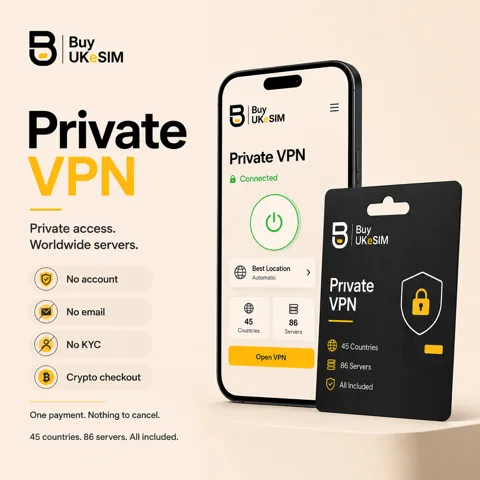
- One crypto payment covers the eSIM and the VPN
- One 8-character magic code opens both on the same order page
- No account and no email required for either product
- Turn the VPN off while installing an eSIM, then back on once the line registers
- A VPN does not change which network or country an eSIM registers on
- The eSIM and VPN validity periods run on separate clocks
- 5 simultaneous VPN connections, every server we list, P2P allowed, bandwidth not metered
Most privacy problems are not solved by one product. A phone number that is not your personal one, a data connection that is not tied to a contract in your name, and a tunnel that changes what the network in front of you can see are three different jobs, and buying one does not do the other two.
We sell all three, and the VPN is offered as an add-on at eSIM checkout, so one crypto payment and one 8-character magic code cover both products on the same order page. No account for either, no email required, no KYC.
This page is about how they fit together: what each layer actually hides, what the combination still cannot do, and the operational rule that costs people the most time when it is missed. The VPN has to be OFF while an eSIM installs.
The three layers and what each one hides
The UK +44 number is an identifier layer. It is a real carrier line that receives SMS and calls in 190 countries, and it exists so you can hand a phone number to a service that demands one without handing over your personal one. It hides your everyday number from that service. It hides nothing else: it is a registered line, and whatever you tell the service is between you and the service.
The travel data eSIM is the connection layer. It gives you data in a country without a contract there and without a shop visit. The mobile network still sees a device and a subscription registering on it, because that is how any mobile network works, and the country your data breaks out in is a property of the plan rather than something you can hide.
The VPN is the visibility layer. It changes what the network carrying your data can see about where that data goes. Without it, whoever runs the connection sees your destinations. With it, they see an encrypted session to one endpoint, and the destinations are visible to a server you chose instead. Our servers keep no logs, never store source IP addresses or connection timestamps, and run RAM-only.
What the combination still does not do
It does not make a phone anonymous. A handset has a hardware identity, an eSIM has a subscription identity, and both are visible to the mobile network by design. No amount of tunnelling touches the radio layer.
It does not make you anonymous to any service you sign into. If you log in to an account that already knows your name, the account knows your name. Every layer here works below that one.
And it does not launder the past. A number you have already given to twenty services is already linked to you at those twenty services. Layers help going forward, from the point where you start keeping things apart.
How the add-on works
Start on the product you actually came for, the UK number or the travel data plan, and tick the VPN before paying. You choose the VPN plan length there, from 7 to 365 days. The total is one amount, paid in one crypto transaction, in any of the coins we accept.
What comes back is one 8-character magic code and one order page holding both products: the eSIM QR on one side, and on the other the VPN configurations, which is a WireGuard QR or .conf file, an OpenVPN .ovpn over UDP or TCP, and a VLESS link. One credential set works on every server we list, on up to 5 devices at once.
The two clocks are independent. The VPN plan runs for the period you bought and does not auto-renew; a UK line runs in 180-day blocks; a travel plan runs on its own validity. Extending any of them is done from the same order page with the same code, and a new VPN period is added on top of the current expiry rather than restarting it.
The hard rule: VPN off while an eSIM installs
An eSIM install is not ordinary web browsing. Your device opens a direct session to the operator server that holds the profile and downloads it over that channel. A VPN tunnel, an iCloud Private Relay, or a Private DNS profile can stall or break that session, and a download that fails partway can burn the activation.
So the order is: turn the VPN off, turn Private Relay and any Private DNS off, install the eSIM over ordinary Wi-Fi or mobile data, wait until the new line has registered on the network, and only then turn the VPN back on. It takes a minute and it prevents the single most common install failure we see.
The same applies to the UK +44 line. Install it with the tunnel off, confirm it has registered, and after that the VPN can run all it likes: incoming SMS and calls arrive over the mobile network, not over your data connection, so the tunnel does not interfere with them.
A VPN does not change how an eSIM registers
Network registration happens below your traffic. The eSIM authenticates to a mobile network as a subscriber, and that exchange decides which operator you are on and which country you are registered in. It happens before any application data moves, so a tunnel started afterwards cannot influence it.
This matters because of a common misunderstanding: a VPN exit in one country does not make a travel eSIM behave as though the SIM were in that country. The network sees where the device actually is and which plan it belongs to. If you need data to break out in a particular country, that is a property of the travel plan you choose, not of the tunnel you run over it.
It works the other way too. Running a VPN will not stop a UK +44 line receiving its verification codes, because those arrive as SMS over the carrier network rather than through your data path.
Three setups that actually happen
Short trip, one country. A travel data plan for the destination plus a 15 or 30-day VPN, bought together. Install the eSIM at the airport with the tunnel off, connect the VPN once the line is up, leave your home SIM on data-off. The hotel and airport networks see an encrypted session and nothing else.
A second identity for sign-ups. A UK +44 number for the verification codes plus a longer VPN plan, both on one order page and one code. The number keeps your personal line out of every service that demands a phone number, and the tunnel keeps the network you are on from itemising where you go.
Living abroad with a UK line to keep. The +44 number renewed in 180-day blocks so the trusted number never lapses, a 365-day VPN for everyday traffic, and your local data SIM untouched. One magic code opens the order page for both, and the expiry reminders live there too.
Buy both in one payment and set them up in the right order
- 1
Start on the product you need
Open the UK number page or the travel data page and pick the plan. That is what the order is built around.
- 2
Tick the VPN add-on
Choose a VPN plan length from 7 to 365 days at the same checkout. There is no auto-renewal and no card stored.
- 3
Pay once in crypto
One amount, one transaction, any accepted coin. No account, no email required, no KYC.
- 4
Save the magic code
The single 8-character code opens the order page holding the eSIM QR and the VPN configurations. Store it offline; there is no password reset.
- 5
Install the eSIM with the VPN off
Turn off any tunnel, Private Relay and Private DNS first. Scan the QR, wait for the line to register on the network, and check it works.
- 6
Then set up the VPN
Import the WireGuard QR or .conf, the OpenVPN .ovpn, or the VLESS link. Connect, and confirm your exit address on any IP-check page.
Questions & answers
Can I buy a VPN and an eSIM in one payment?
Yes. The VPN is offered as an add-on at UK number and travel eSIM checkout, so the total is a single crypto payment. Both products then appear on the same order page.
Do I get two magic codes?
No, one. A single 8-character code opens the order page that holds the eSIM QR and the VPN configurations, and it is also what you use later to extend either of them.
Why must the VPN be off while installing an eSIM?
The profile download is a direct session between your device and the operator server that holds it. A tunnel, an iCloud Private Relay or a Private DNS profile can stall or break that session, and a download that fails partway can consume the activation.
Does a VPN change the country my eSIM appears to be in?
No. Network registration happens below your traffic and decides which operator and country the line is on before any application data moves. Where your data breaks out is a property of the travel plan you chose, not of the tunnel.
Will running a VPN stop my UK number receiving SMS?
No. Verification codes arrive as SMS over the carrier network rather than through your data connection, so a tunnel does not interfere. Only the initial install needs the VPN switched off.
Can I add a VPN to an eSIM order I already paid for?
The add-on is part of checkout, so an existing order cannot absorb one. Buy the VPN on its own instead; it becomes its own order with its own magic code and its own order page.
Do the eSIM and the VPN expire at the same time?
No, they run on separate clocks. The VPN plan runs for the period you bought with no auto-renewal, and eSIM validity follows its own product rules. Both are extended from the order page with the same code.
Can the VPN run on the same phone as the eSIM?
Yes, and on four other devices at the same time. One credential set covers up to 5 simultaneous connections across every server we list.
More topics
Related guides
VPN and eSIM together
Three products, one payment, one magic code. What the number, the data and the tunnel each hide, and the one rule that breaks installs when it is missed.
See VPN plans