
For /e/OS and Murena users on Fairphone and other eSIM-capable hardware, in Europe and worldwide.
eSIM on /e/OS and Murena devices
/e/OS is not one thing. It is built for a large number of devices, and eSIM support follows the build rather than the brand. The good news is that the check takes minutes and the community evidence is unusually detailed.
- eSIM support on /e/OS follows the device build, not the name of the system
- Users on Fairphone hardware do report downloading and using profiles on /e/OS
- A switching failure after a system update has been reported by multiple users
- Removing Google does not remove eSIM; the missing piece is only ever the profile assistant
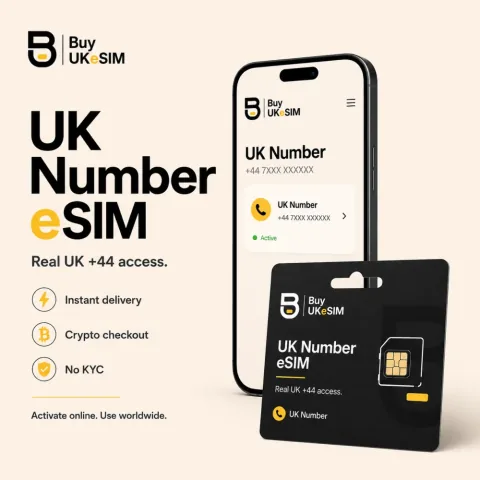
- Real UK +44 carrier line, incoming SMS and calls, $25 once then $15 every six months
- Crypto only, no KYC, no signup, no email required, 8-character lookup code
/e/OS is a de-Googled Android system from e Foundation, sold preinstalled on Murena devices and offered as a factory option on some Fairphone models. Because it is a LineageOS-derived system that supports a large device catalogue, the answer to "does eSIM work on /e/OS" is not one answer. It is one answer per device build, and that is not evasion, it is how the underlying platform works.
The reason is structural. Downloading an eSIM profile requires a local profile assistant, a system component that Google's own Android documentation describes as a system app that should be included in the build image. AOSP does not provide a general one. So whether your /e/OS build can download a profile depends on what went into that specific build for that specific device, which is why two /e/OS users can report opposite results in complete good faith.
What users actually report
On Fairphone hardware, which is the most common /e/OS combination in this audience, the community record is fairly clear: people do download and use eSIM profiles on /e/OS. Threads on the e Foundation community forum contain users describing profiles downloading successfully, using eSIM alongside a physical SIM, and running specific operators on /e/OS without trouble. The Fairphone community's own operator compatibility list also contains at least one entry noting an operator working with /e/OS specifically.
There is also a documented rough edge. A long forum thread describes users on a Fairphone 4 who could download a fresh profile without issue but then could not turn it on or off, with an error saying the eSIM had not been switched. Multiple users tied that behaviour to a particular system update and said the same setup had worked before it. Whether that is fixed on the build you are running is not something we can tell you, and it is exactly the kind of thing that argues for testing your own device rather than trusting any page, including this one.
Where /e/OS sits relative to other de-Googled systems
It is worth being precise about what /e/OS removing Google does and does not imply here. Removing Google apps and services does not by itself remove eSIM capability, because the profile download is performed by the system profile assistant rather than by a store or an account. Equally, the microG-style compatibility layers that de-Googled systems use to keep applications working do not supply a profile assistant. A request to build one into microG is open in that project's issue tracker and has not been implemented. So neither the presence nor the absence of a Play services replacement is the thing that decides your outcome.
What decides it is the build. Systems derived from LineageOS have historically been the least predictable in this respect, because official builds have not shipped a profile assistant, while manufacturer-blessed builds running on that manufacturer's own hardware tend to inherit the vendor components that make eSIM work. /e/OS spans both situations at once: it is sold preinstalled on hardware by arrangement with the manufacturer, and it is also available as a community build for a very long list of other devices. Judge your own device, not the name of the system.
What to do about a build that cannot download profiles
If your /e/OS build has no eSIM installer, the options are narrow and none of them is buying an app. Open-source profile assistants exist, but the full-featured variant needs to live in the system partition with platform-level privilege, which means it has to be built into the ROM. There is an unprivileged variant that runs as an ordinary app, but by design it can only reach removable eSIM chips that explicitly allowlist it, not the eUICC soldered into a phone. That is a deliberate security property, not an oversight.
So the practical routes are: use a device and build where the installer is present, wait for the build to gain one, or use a physical SIM. We do not sell physical SIMs and we would rather say that than sell you a QR code you cannot use. If your build does have a working installer, nothing else about /e/OS gets in the way, and an installed profile behaves as ordinary Android telephony from that point on.
What we supply, and the limits of it
The UK number is a real UK +44 mobile carrier line issued as a standard GSMA activation code, not VoIP and not a shared pool number. It receives unlimited incoming SMS and calls worldwide over roaming and carries no mobile data at all, which also means there is no APN to configure. The price is $25 once, first six months included, then $15 every six months, with nothing renewing automatically because no card is stored. Travel data is a separate product from $1.99 across 190+ countries, data only, no number. Checkout is crypto only across twelve methods, with no KYC, no account and no email, and an 8-character lookup code in the AB12-CDEF format for finding the order later.
Two things we will not claim. We do not control whether your /e/OS build can install the profile, so nothing on this page is a compatibility guarantee, and the UK number QR is single use with a deleted profile never reissued. And buying without identity checks removes paperwork at the point of purchase, not your device IMEI, your IP address, or the records a carrier keeps about an active line. Test the device first, ask us before paying if you are unsure, and treat anyone promising untraceability with suspicion.
Testing eSIM on your own /e/OS device
- 1
Note your exact build. Settings, About phone shows the /e/OS build string including the device it was made for. Any report you find online is only relevant if it matches that device, and ideally a similar build date.
- 2
Find your EID, the 32-digit identifier that belongs to the eUICC chip. Look under Settings, Network and internet, SIMs on the eSIM entry, or dial *#06# and check the numbers shown beside the IMEI. No EID anywhere generally means the hardware is not present.
- 3
In Settings, Network and internet, SIMs, look for the option to download or add an eSIM. Start it and go as far as the QR scanner or the manual activation code entry field. Reaching that screen is the proof that your build has a working profile assistant.
- 4
If you already have a profile installed, try toggling it off and on once. Community reports on this system include a specific failure where a profile downloads fine but cannot be switched, so it is worth confirming that switching works before you rely on it.
- 5
Repeat the check after major system updates. The profile assistant is part of the system image, and users on this system have reported updates changing the behaviour in both directions.
- 6
Once the checks pass, our UK +44 number installs through that same screen as an ordinary activation code. Contact us before paying if anything about your build is unusual, because the UK number QR is single use and is never reissued.
Questions & answers
Does eSIM work on /e/OS?
On several device builds, yes, and users on the e Foundation community forum describe downloading and using profiles, particularly on Fairphone hardware. It is not a single answer for the whole system, because the component that downloads a profile is part of each device build. Check your own device before buying rather than relying on someone else's report for a different handset.
Does /e/OS include its own eSIM profile assistant?
We could not find official /e/OS documentation stating this per device, so we will not claim it. What the community record shows is that eSIM installation does work on some /e/OS builds and that the installer screen is present on those. Since the assistant has to be part of the system image, the presence of a working add-eSIM flow on your device is the only reliable evidence.
My /e/OS eSIM downloaded but will not turn on. Is that known?
Yes, a version of that has been reported by multiple users on the e Foundation forum, on Fairphone 4, with an error saying the eSIM was not switched. Users associated it with a system update and reported that it had worked before. Whether it affects your build is worth checking on the forum for your specific device and build date.
Would installing microG or a similar layer add eSIM support?
No. Play services replacements reimplement the services that applications call. They do not implement the eSIM profile assistant, and a request to add one to microG is open and unimplemented in that project. If your installer is missing, that layer is not the lever that would restore it.
Do I need a Murena account or the Murena services to use the line?
No. We are not affiliated with Murena or e Foundation, and nothing we sell touches their accounts or services. The line is a plain carrier eSIM profile installed through your system's own SIM settings, and after installation it is ordinary Android telephony that works regardless of which accounts you do or do not use on the device.
More topics
eSIM on /e/OS and Murena devices
/e/OS is not one thing. It is built for a large number of devices, and eSIM support follows the build rather than the brand. The good news is that the check takes minutes and the community evidence is unusually detailed.
Buy UK eSIM - $25