
For GrapheneOS users on Pixel hardware, worldwide.
eSIM on GrapheneOS
GrapheneOS runs eSIM profiles, but the code that downloads one is switched off when you first boot the phone. Here is the whole flow in five steps, the setting almost nobody finds, the APN section that decides whether a data profile carries traffic, and a fix list in the order you should work through it.
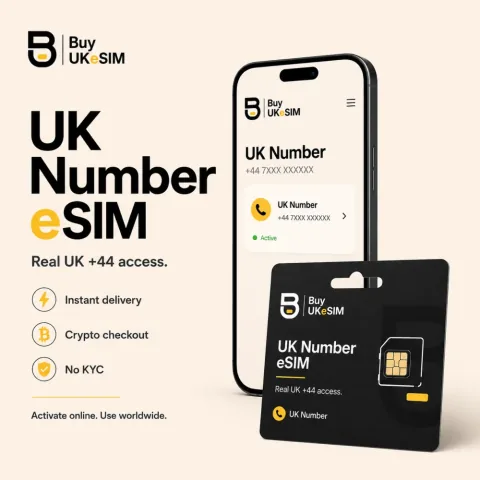
- Baseline eSIM support is always present, so existing profiles work the moment you flash GrapheneOS
- Adding a profile needs the toggle at Settings > Network & internet > eSIM support, fully disabled by default
- No Google account, no Play Store and no app are involved in enabling it or in buying from us
- APN only matters for a travel data eSIM. The UK number carries no mobile data and has no APN
- Real UK +44 carrier line, incoming SMS and calls in most countries, $25 once with six months included, then $15 every six months
- Crypto only, no KYC and no account, QR on screen seconds after the payment confirms on-chain
Every eSIM install has two halves. The eUICC is the secure chip inside the phone that stores profiles, and it is soldered in at the factory, so if your Pixel shipped with it, GrapheneOS cannot take it away. The other half is software: a local profile assistant, or LPA, which reads the activation code in your QR, contacts the SM-DP+ server named inside it, and writes the profile onto that chip. GrapheneOS treats those two halves differently, and that is the whole reason this page exists.
Profiles already sitting on the chip keep working from the moment you flash GrapheneOS, because baseline eSIM support always ships. Downloading a new one is the part that is disabled out of the box, and turning it on is a single setting that most people never find. Once the profile is on the device, the experience is unremarkable Android: the line registers, calls ring, messages arrive, and nothing on the phone asks you for anything further.
Quick start: the whole thing in five steps
1. Confirm the phone has an embedded SIM chip. Open the dialer and call *#06#, then look for an EID next to the IMEI. 2. Turn on the management component at Settings > Network & internet > eSIM support. It is off by default, and without it there is no way to add a profile. 3. Go to Settings > Network & internet > SIMs and open the flow that adds a SIM, choosing the option to set up an eSIM. If a scanner opens and asks for a QR or an activation code, your device can download profiles. Back out here without scanning. 4. Buy an activation code and scan it once over a stable Wi-Fi connection. 5. If the screen stops at "Checking network info...", dial *#*#4636#*#*, enable DSDS in the menu that appears, then retry the download.
Two things are worth reading before you follow those steps rather than after. Step 3 is a free test that proves your specific build and handset can download a profile, so run it before you pay anyone. And the install QR for our UK number is single use: once a profile is downloaded, that code is spent, and a deleted UK number profile is never reissued. Nothing on this page should ever be read as an instruction to delete a working profile.
Before you start
Four things need to be true. The handset must be a Pixel that GrapheneOS supports and that has an eUICC, which the *#06# check settles in ten seconds. The phone must be carrier unlocked, because a handset still tied to one network can refuse a profile from another. Most GrapheneOS users clear this without noticing, since installing GrapheneOS requires an unlocked bootloader and carrier locked Pixels generally do not permit that. You also need a working internet connection at the moment of download, because the profile is pulled from a remote SM-DP+ server. Wi-Fi is the sensible choice. You cannot use the eSIM you are installing to download itself, and you cannot install one offline.
The fourth thing is knowing which product you are buying, because it changes what you need to configure afterwards. Our UK number is a real UK +44 carrier line delivered as an eSIM QR. It receives SMS and calls in most countries through roaming and carries no mobile data at all. A travel eSIM is the separate data product: 190+ countries, from $1.99, no phone number attached. If you want a number and data at once, that is two profiles on one phone, and a Pixel handles that fine.
What ships enabled and what does not
The GrapheneOS documentation splits eSIM into baseline support and management. Baseline support means any profile already installed on the device continues to function, and that is always present. Management means adding, switching or deleting profiles, and that path goes through proprietary Google eSIM code that GrapheneOS bundles but keeps fully disabled by default. Nothing about the profile you buy changes this. The gate is in the operating system, and only you can open it.
This is the single most common reason a GrapheneOS eSIM install goes nowhere. The reader opens Settings > Network & internet > SIMs, finds no way to add an eSIM, and concludes the phone or the QR is broken. Neither is. The add option is absent because the component behind it has not been switched on yet. The design is deliberate rather than an oversight: GrapheneOS ships the proprietary component so eSIM is possible at all on Pixel hardware, then leaves it inert so a user who never wants to touch an eSIM never has that code running.
Turning it on does not put Google back on your phone
The setting is at Settings > Network & internet > eSIM support, and the GrapheneOS documentation states the toggle is persistent across every boot, so you set it once. According to that same documentation, eSIM management on GrapheneOS does not require any dependency on Google Play, and it never shares data to Google Play even when Play is installed. There is no Google account anywhere in the flow, and enabling this toggle is not the same thing as installing sandboxed Google Play.
You can switch the toggle back off after the profile lands, and the line keeps working under baseline support. One exception is worth remembering before you do that. If your profile is protected by a SIM PIN, GrapheneOS recommends leaving the toggle enabled, because it is what lets you disable the eSIM from the lockscreen when the PIN is forgotten. With the toggle off and the PIN gone, the only route back in is the PUK from your carrier, and for a privacy first purchase that route may not exist.
The one-tap install link, and why it does nothing here
Most eSIM sellers now put an Android one-tap button next to the QR, sometimes called a universal link. It is an address of the form https://esimsetup.android.com/esim_qrcode_provisioning?carddata=LPA:1$server$code, and it is worth knowing that this is not an Android feature. The Digital Asset Links file published at that domain verifies exactly one package, com.google.android.gms, which is Google Play services, and the Osmocom eUICC and eSIM developer manual puts the requirement at Play services 25.14.34 or later, released in April 2025. On a GrapheneOS install with no Play services, nothing on the device claims that link. Tapping it opens a web page and no download begins. The activation code you paid for is fine.
If you do run sandboxed Google Play the package is present and will claim the link, and we have not tested whether the download completes from there, so we are not going to tell you that it does. The route that always works is the one the operating system gives you, and it needs nothing but the phone you are installing to: open the add eSIM flow and type in the SM-DP+ address and the activation code by hand. Scanning the QR is the same thing with a camera, worth it only if the code happens to be on another screen already. That is exactly why our order page prints both fields as copyable text beside the QR, and the confirmation code box that appears next should be left empty. One claim is worth distrusting as you read around: several guides describe a handler-free LPA link that supposedly needs no Google component. No such OS-registered URI scheme appears in Google's documentation or in the Osmocom manual, so do not plan your install around it.
The APN, and when it is not your problem at all
Start here, because this section wastes more time than any other. An APN is the setting that tells the phone which gateway to use for mobile data. It matters only if the profile is supposed to carry data. Our UK number carries no mobile data whatsoever, so it has no APN, needs no APN, and no APN entry will ever make it produce a data connection. If you bought the UK number and it receives SMS and calls, it is working exactly as sold and you should close the APN screen. APN work is for a travel data eSIM only.
For a data profile, the path is Settings > Network & internet > SIMs, select the data eSIM, then Access Point Names, which some Android builds render as "Access point names". If your provider's entry is listed, tap it to select it. If the list is empty or the entry is missing, tap the + button, enter exactly the Name and APN values your provider published, leave every field you were not given alone, then open the three dot menu and choose Save. Select the new entry, toggle mobile data off and on, and if it still does not attach, restart the phone. GrapheneOS extracts CarrierConfigs, APNs, modem configurations and MMS configurations from the stock operating system, so most networks come up untouched, and it includes bypasses for carrier restrictions on APN editing, which is why these fields stay editable where stock Android would grey them out. Never delete the eSIM profile as an APN fix. The APN lives in Android settings, not in the profile, and deleting the profile solves nothing while risking everything.
Troubleshooting in order, cheapest check first
Work down this list and stop when the line comes up. 1. Restart the phone. A modem that attached badly clears on a reboot more often than anyone expects, and it costs you thirty seconds. 2. Confirm Settings > Network & internet > eSIM support is still on. If the option to add a SIM has disappeared, this is why. 3. Confirm the line itself is switched on at Settings > Network & internet > SIMs, select the eSIM, and check the SIM is enabled rather than merely present. A profile can be downloaded and left switched off. 4. If the failure is a download that never completes and sits at "Checking network info..." on a connection that is demonstrably fine, dial *#*#4636#*#*, enable DSDS in the menu that appears, and retry. This is a documented GrapheneOS workaround, not a broken activation code.
The remaining steps apply to a travel data eSIM only, because the UK number is a voice and SMS line. 5. Turn on Mobile data for that SIM, and turn on Roaming, since a travel profile is normally using another operator's network and will refuse to carry data with roaming off. 6. Change Preferred network type on that SIM, most usefully to LTE, if the line registers but never attaches to data on 5G. 7. Set the APN by hand as described above. If all seven fail, contact us with your 8 character lookup code, formatted AB12-CDEF, before you touch the profile. Do not delete it, do not factory reset, and do not rescan the QR repeatedly. A deleted UK number profile is gone permanently and is never reissued.
What we can promise and what we cannot
What we hand you is a standard GSMA activation code, the same object every other eSIM provider issues. Whether it downloads is decided by your OS build and your hardware, not by us, which is why this page gives you a test instead of a compatibility badge we could not stand behind. We sell the profile. We do not control the software that installs it, so test the device before you pay.
The UK number QR is single use and is never reissued, and that purchase is not refundable if a build turns out not to support downloads, so run the free check first and contact us before paying if anything looks wrong. On verification: the line receives ordinary SMS and voice calls, which is what app sign ups normally use, but no provider can guarantee that a specific app or service will accept a specific number, and anyone who tells you otherwise is guessing with your money.
Prove your GrapheneOS phone can download a profile, then install one
- 1
Clear the prerequisites
You need a GrapheneOS supported Pixel with an embedded SIM chip, a handset that is not locked to a carrier, and an internet connection for the download itself. Use Wi-Fi. The profile is fetched from a remote server, so you cannot install it offline and you cannot use the eSIM you are installing to download itself.
- 2
Confirm the hardware has an eUICC
Open the dialer and call *#06#. Alongside the IMEI you should see an EID, a 32 digit number that belongs to the embedded SIM chip. If an EID appears, the hardware side is settled. If nothing labelled EID shows up, check Settings > About phone as well, since placement varies, and treat a missing EID as a strong sign the device has no embedded SIM.
- 3
Enable eSIM support
Go to Settings > Network & internet > eSIM support and turn it on. This is the proprietary management component GrapheneOS keeps fully disabled by default, and it is the reason people cannot find an option to add an eSIM. The toggle is persistent across every boot, so you do this once, and you can reverse it later.
- 4
Open the add-a-SIM flow and stop before scanning
Go to Settings > Network & internet > SIMs and start the flow that adds a SIM, choosing the option that sets up an eSIM rather than using a physical card. If the scanner opens and asks for a QR code or an activation code, your device and your build can download profiles. That is the entire test, and it is free. Back out here. Do not scan a code you are not ready to burn.
- 5
Get an activation code
Any GSMA standard QR works at this point. Ours is a real UK +44 mobile carrier line for $25 one time, with the first six months included and $15 every six months after that, nothing auto renewing. It receives SMS and calls in most countries and carries no mobile data. Payment is crypto with no account and no ID, and the QR appears on screen seconds after the payment confirms on-chain, along with an 8 character lookup code in the form AB12-CDEF. Travel data is a separate product from $1.99 covering 190+ countries, with no phone number attached.
- 6
Scan once, and handle a stall correctly
Scan the code with a stable connection. If the screen freezes at "Checking network info...", do not delete the pending profile and do not rescan repeatedly. Dial *#*#4636#*#*, enable DSDS in the menu that is presented, then retry the download. If it fails for any other reason, stop and contact us with your lookup code before touching the profile, because a deleted profile is often unrecoverable and a UK number profile is never reissued.
- 7
For a data eSIM only, check the APN
If you installed a travel data profile and it registers but carries no traffic, go to Settings > Network & internet > SIMs, select that eSIM, turn on Mobile data and Roaming, then open Access Point Names. Select your provider's entry if it is there, or tap + and enter the published Name and APN values, then save from the three dot menu. Skip this step entirely for the UK number, which has no data and therefore no APN.
- 8
Decide what to do with the toggle
After the line registers, you may switch eSIM support back off and the profile keeps working under baseline support. Leave it on if the profile uses a SIM PIN, since GrapheneOS recommends that as your only lockscreen escape hatch if the PIN is forgotten.
Questions & answers
Does eSIM work on GrapheneOS?
Yes. Profiles already on the device work with no configuration, because baseline eSIM support always ships. Adding a new profile works once you enable Settings > Network & internet > eSIM support, which is fully disabled by default. After the download, calls, messages and data behave the same as on any Android phone.
Why is there no option to add an eSIM on my Pixel?
Because the management component is still switched off. GrapheneOS ships the proprietary code needed to add and manage eSIMs but keeps it fully disabled by default, so the add option does not appear under Settings > Network & internet > SIMs until you turn on Settings > Network & internet > eSIM support. This is the step people miss most often. Nothing is wrong with the handset or the QR.
Do I need sandboxed Google Play to install an eSIM on GrapheneOS?
No. The GrapheneOS documentation states that eSIM management does not require any dependency on Google Play and never shares data to Google Play even when it is installed. The proprietary piece is the bundled eSIM management code, which stays dormant until you flip the toggle. No Google account is required at any point.
Why does my install stop at "Checking network info..."?
This is a documented GrapheneOS stall rather than a broken activation code. Dial *#*#4636#*#*, enable DSDS in the menu that is presented, then retry the download over a stable connection. Do not delete the pending profile or repeatedly rescan the QR while troubleshooting.
What APN should I use for the UK number?
None. The UK number is a voice and SMS line with no mobile data at all, so there is no APN to configure and no APN value that would make data work. If it receives SMS and calls, it is functioning as sold. APN settings are only relevant to a travel data eSIM, where you set them at Settings > Network & internet > SIMs, select the SIM, then Access Point Names.
My travel data eSIM installed but there is no data. What now?
Restart the phone, then at Settings > Network & internet > SIMs select that eSIM and confirm the SIM is enabled, Mobile data is on and Roaming is on. If it registers to a network but still carries nothing, try setting Preferred network type to LTE, then open Access Point Names and either select your provider's entry or add it with the + button and save it from the three dot menu. Do not delete the profile while troubleshooting.
Can I turn eSIM support back off after installing?
Yes, and the installed line keeps working under baseline support. The exception is a profile locked with a SIM PIN. GrapheneOS recommends leaving the toggle enabled in that case, because it is what allows you to disable the eSIM from the lockscreen if the PIN is forgotten. With the toggle off and the PIN lost, only the PUK gets you back in.
Does the one-tap eSIM install link work on GrapheneOS?
Usually not. The esimsetup.android.com link is a Google Play services app link: the Digital Asset Links file on that domain verifies only com.google.android.gms, and the Osmocom manual puts the floor at Play services 25.14.34. A GrapheneOS phone without Play services has nothing to open it, so it lands in the browser instead. With sandboxed Google Play installed the link is claimed, but we have not verified that the download finishes. Use the QR, or enter the SM-DP+ address and activation code manually. Both work on GrapheneOS.
More topics
eSIM on GrapheneOS
GrapheneOS runs eSIM profiles, but the code that downloads one is switched off when you first boot the phone. Here is the whole flow in five steps, the setting almost nobody finds, the APN section that decides whether a data profile carries traffic, and a fix list in the order you should work through it.
Buy UK eSIM - $25