
For CalyxOS users on Pixel and other supported hardware, worldwide.
eSIM on CalyxOS
CalyxOS installs eSIM profiles through the ordinary SIM manager, and it does so using the same proprietary download component as stock Android. That is worth knowing before you assume a de-Googled phone means a Google-free eSIM.
- eSIM installs through the normal SIM manager on CalyxOS, with no sideloading and no developer flag
- The download step uses Google's eUICC implementation, so it is not Google-free even on a de-Googled build
- microG replaces Play services for apps and does not provide a profile assistant
- Development paused in August 2025 and resumed with full maintenance in July 2026, so update before testing
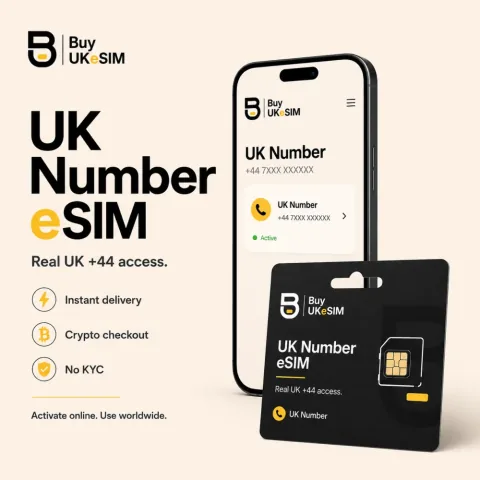
- Real UK +44 carrier line, unlimited incoming SMS and calls worldwide, $25 one time, no data
- No KYC, no signup, no email required, and an 8-character lookup code in the format AB12-CDEF
An eSIM is not a file you copy across. Your phone carries a small tamper-resistant chip called an eUICC, and a profile has to be fetched onto it over the network by a piece of software known as a local profile assistant. The assistant reads the activation code, dials out to the operator server named inside that code, authenticates, and pulls the profile down. On CalyxOS the chip is whatever the Pixel or other supported handset shipped with, and the assistant is the part where the de-Googled story gets more complicated than the marketing suggests.
There is also recent history that anyone choosing CalyxOS in 2026 should have. Development was paused in August 2025 after key staff departed, and for a stretch the project itself advised users to move off because security updates had stopped. It came back. Release 7.2.2.0 landed in July 2026 with full maintenance support restored, and monthly Android 16 security updates have been shipping since. If your information about CalyxOS dates from the hiatus, it is out of date.
The pause, and where the project stands now
The Calyx Institute published a letter to its community on 1 August 2025 announcing that CalyxOS development had stopped, following the departure of the institute's founder and the CalyxOS tech lead. An update days later went further and recommended that existing users uninstall, because no further security patches would arrive while the rebuild was underway. That is an unusually honest thing for a project to say about itself, and it should be recorded rather than quietly skipped over.
The rebuild finished. The project redesigned its signing process around a hardware security module, shipped an Android 16 test build in May 2026, and declared itself back in July 2026 with release 7.2.2.0 and normal maintenance. The August 2026 security update is out for all supported devices. The practical consequence for eSIM is simply that you should be running a current build before you try to download anything, because a device stranded on a 2025 image is missing a year of telephony and platform fixes.
How the download actually happens
On CalyxOS you add a profile the ordinary way, through Settings > Network & internet > SIMs, and the setup wizard also offers an eSIM route when no physical card is detected. There is no hidden developer flag and no separate app to sideload. From the user's chair it is indistinguishable from stock, which is precisely because the component doing the work is the same one stock uses.
That component is Google's eUICC implementation. CalyxOS carries it, and there is an open request in the project's own issue tracker asking to replace it with OpenEUICC, the fully open-source alternative that other de-Googled builds have adopted. Until that request is acted on, the accurate description of CalyxOS eSIM support is that it works reliably and that the download step is not Google-free. Everything after the download, registering on the network and receiving calls and messages, is plain AOSP telephony with nothing proprietary in the path.
microG is not a profile assistant
This is the most common misunderstanding we get asked about. microG reimplements Google Play services APIs so that apps expecting them will run. It handles push messaging, location backends and the API surface that ordinary applications call. It does not implement the eUICC service interface, and it has no role in fetching a profile from an operator server.
So if you are choosing CalyxOS specifically to avoid proprietary code in the telephony stack, microG does not get you there, and no combination of settings inside CalyxOS currently does. The honest framing is that CalyxOS gives you a de-Googled userland with a proprietary eSIM downloader sitting inside it, used once per profile and idle thereafter. Whether that trade is acceptable is your call, and it is a smaller exposure than most people assume, but it should be a decision made with the facts rather than by default.
What we can promise and what we cannot
We issue a standard GSMA activation code, identical in form to what any operator would send you. Whether your handset accepts it is decided by your build and your hardware. We sell the eSIM profile. We do not control whether a given ROM can install it, and we will not pretend otherwise to close a sale. Test the device before you pay, and write to us first if anything in that test looks off.
Two specifics matter for CalyxOS buyers. The UK number QR is single use and is never reissued, and that purchase is not refundable if your build cannot download it. And on app verification: the line takes standard SMS and voice calls, which is what verification flows generally use, but no provider anywhere can guarantee a given service will accept a given number.
Check a CalyxOS device before you commit a code
- 1
Update the OS first
Check Settings > System > Updates and get onto a current release. After the 2025 pause, some devices sat on year-old images. If your build predates release 7.2.2.0 from July 2026, update before troubleshooting anything, because you may be chasing a bug that has already been fixed.
- 2
Read the EID from the phone itself
Dial *#06# and look for an EID next to the IMEI, a 32-digit identifier that belongs to the embedded SIM chip. Settings > About phone lists it on some models too. An EID means the eUICC hardware is there and reachable, which is a different question from whether software can write to it.
- 3
Open the add-a-SIM flow without scanning anything
Go to Settings > Network & internet > SIMs and start the flow to add a SIM, choosing the option to download a profile instead of inserting a card. If a QR scanner opens and offers to accept an activation code entered by hand, the download path on your build is alive. Back out at that screen. Never test with a real code.
- 4
Get an activation code
Any GSMA-standard code works here. What we sell is a real UK +44 mobile carrier line delivered as a QR: $25 one time with the first six months included, then $15 every six months, nothing stored and nothing auto-renewing. It receives unlimited incoming SMS and calls worldwide over roaming and carries no mobile data. Travel data is a separate product from $1.99 covering 190 or more countries, with no phone number.
- 5
Scan once, on a connection you trust
Use Wi-Fi or a working data connection and scan the code a single time. If the download errors, do not delete the half-installed profile and do not rescan on a hunch. Note the exact error text, reboot, and retry once. If it still fails, contact whoever issued the code before removing anything, because most profiles cannot be reissued.
- 6
Confirm the line, then leave it alone
Once the profile is active, check that the carrier name appears in the status bar and that Settings > Network & internet > SIMs lists the line as enabled. Ask someone to send you a message to confirm delivery. If you ever intend to factory reset or move phones, ask your provider about transfer first, since deleting a profile is usually permanent.
Questions & answers
Does eSIM work on CalyxOS?
Yes, on supported hardware. You add a profile through Settings > Network & internet > SIMs the same way you would on stock Android, and no Google account is needed to do it. The download itself is handled by Google's eUICC implementation, which CalyxOS carries, so the step is functional but not free of proprietary code.
Is CalyxOS still maintained after the 2025 pause?
Yes. Development stopped in August 2025 and the project told users to uninstall while security updates were unavailable. It returned in July 2026 with release 7.2.2.0 and full maintenance support, and it has been shipping monthly Android 16 security updates since, including the August 2026 update for all supported devices. Check your build before assuming otherwise.
Does microG handle eSIM downloads on CalyxOS?
No. microG substitutes for Google Play services at the application API level, covering things like push messaging and location. Fetching an eSIM profile is a telephony function handled by a local profile assistant, which is a different component entirely. microG neither provides one nor replaces the one CalyxOS ships.
Will CalyxOS switch to OpenEUICC?
There is an open request in the CalyxOS issue tracker to replace Google eUICC with OpenEUICC, the open-source local profile assistant that some other de-Googled builds already use. It has not been implemented as of this writing. Treat any claim that CalyxOS eSIM is fully open source as premature until the project ships it.
Can I move my eSIM to another CalyxOS phone later?
Not reliably, and not at all in the case of our UK number, where the install QR is single use and is never reissued. Deleting a profile from one device does not generate a new code for the next one. If you are planning a device change or a factory reset, ask us before you remove anything rather than after.
More topics
eSIM on CalyxOS
CalyxOS installs eSIM profiles through the ordinary SIM manager, and it does so using the same proprietary download component as stock Android. That is worth knowing before you assume a de-Googled phone means a Google-free eSIM.
Buy UK eSIM - $25