
For Fairphone owners on stock Android or a privacy build, in Europe and worldwide.
eSIM for Fairphone
Fairphone added eSIM hardware partway through the range, and Fairphone sells some models with a privacy-focused system preinstalled. Those two facts decide almost everything about whether an eSIM will work on yours.
- Fairphone 4 and later have eSIM hardware; Fairphone 3 and 3+ do not and never will
- Nano-SIM plus eSIM, usable together in dual SIM dual standby
- On a privacy build, whether downloads work depends on the build, not the handset
- Operator device lists are a more common cause of failure than the phone itself
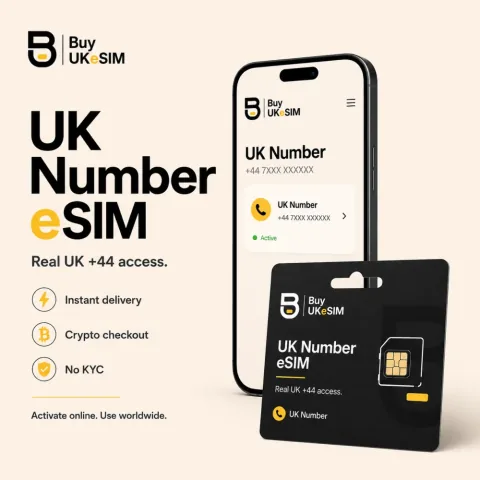
- Real UK +44 carrier line, incoming SMS and calls, $25 once then $15 every six months
- Crypto only, no KYC, no signup, no email required, QR on screen within seconds
Fairphone is a common phone in this audience for obvious reasons: repairable, long-supported, and available with a de-Googled system straight from the manufacturer. It is also a range where eSIM support genuinely splits down the middle, so a general answer would mislead half the people reading. The split is at the hardware level, which makes it easy to state and impossible to work around.
The Fairphone 3 and 3+ do not contain an eSIM chip. Fairphone's own support material is unusually direct about this: the hardware is not there, so eSIM will not be supported on those models even in future. From the Fairphone 4 onward the chip is present, and the specifications for the Fairphone 4, the Fairphone 5 and the current Fairphone generation all list a nano-SIM slot alongside an eSIM. If you have a 3, this page ends here honestly, and a physical SIM is the answer.
The models that have the chip
Fairphone 4, Fairphone 5 and the current generation, which Fairphone markets as The Fairphone (Gen. 6), all ship with eSIM hardware. Fairphone's specification for the latest generation states dual SIM as nano-SIM plus eSIM, both 5G enabled, and Fairphone's support material describes dual SIM dual standby across the range, meaning the physical card and the eSIM can be active together. In practice this is the configuration most people want: keep the existing number in the tray and add a second line as a profile.
The eSIM itself is entirely standard. It reads a GSMA activation code, contacts the provisioning server named inside it, and writes the profile onto the chip. There is nothing Fairphone-specific about the profile you buy, which is why any eSIM sold for Android should work on the hardware. What varies is the operating system on top, and that is the next section.
Stock Fairphone Android versus a privacy build
On the stock system that Fairphone ships, eSIM behaves as it does on any other Android phone. Fairphone documents the setup flow in its own support pages, you get a QR code or an activation code from whoever sold you the line, and you add it through the SIM settings. There is no special handling and no Fairphone-specific step.
If you have flashed something else, or bought one of the variants that Fairphone sells with a privacy-focused system preinstalled, the question becomes whether that build includes a local profile assistant, the system component that performs the download. Google's Android documentation describes that component as a system app that has to be part of the build image, so it is a property of the system you are running rather than of the Fairphone. Community reports do show eSIM downloads working on Fairphone hardware under privacy builds, and they also show periods where a system update broke part of the flow. That is the honest state of it: usually fine, worth verifying on your own phone.
The failure you are more likely to hit is the operator, not the phone
The Fairphone community maintains a running list of which operators do and do not work with eSIM on the Fairphone 4 and 5, and the pattern in it is instructive. eSIM is a standard and generally behaves as one, but individual operators restrict eSIM to a list of approved devices, and Fairphone is uncommon enough that it is often not on the list. Contributors have recorded specific operators that either refuse eSIM entirely or let you start the process and then fail the download, and several large operators in the UK and elsewhere were noted as not offering eSIM at all at the time entries were made.
That is worth understanding before you blame your handset. A profile that fails to download because an operator gatekeeps by device model is a commercial decision, not a technical fault, and it is one of the reasons a provider who issues you a plain activation code with no device list is easier to live with. Our profiles are issued as standard GSMA activation codes without a device approval list, though that is a statement about how we issue them and not a promise about your build.
What you get and what we will not claim
The UK number is a real UK +44 mobile carrier line delivered as an eSIM QR, not VoIP and not a number shared with other people. It receives unlimited incoming SMS and calls worldwide over roaming and carries no mobile data at all. The price is $25 once, with the first six months included and $15 every six months afterwards, and nothing auto-renews because no card is stored. Travel data is a separate product, from $1.99 across 190+ countries, data only and with no phone number. Payment is crypto only, across twelve methods, with no KYC, no account and no email address required, and the QR appears on screen within seconds of on-chain confirmation. You get an 8-character lookup code in the AB12-CDEF format to retrieve the order later.
Two limits, stated plainly because this audience deserves it. First, buying without identity checks removes the paperwork at purchase and nothing else: your device IMEI, your IP address and the carrier's own records about a line in use are all still there, and we will not imply otherwise. Second, we sell the profile and not your operating system. The UK number QR is single use and a deleted profile is never reissued, so please run the check below on your Fairphone before paying, and contact us first if anything about your setup is unusual.
Checking your Fairphone before you buy anything
- 1
Identify the model. Settings, About phone will name it. If it is a Fairphone 3 or 3+, stop here: those have no eSIM chip and no software can add one, so a physical SIM is your route.
- 2
Confirm the chip by finding your EID, a 32-digit number belonging to the eUICC. Look under Settings, Network and internet, SIMs on the eSIM entry, or dial *#06# and check the numbers listed beside the IMEI.
- 3
Open Settings, Network and internet, SIMs and look for the option to download or add an eSIM. Start it and get as far as the QR scanner or the manual activation code field. Reaching that screen is what proves the system on your Fairphone can actually perform a download.
- 4
If you are on a privacy build rather than the stock system, do this check after every major system update as well, because the profile assistant lives in the system image and community reports show update-related regressions on this hardware.
- 5
Check the operator side before assuming it is the phone. If a previous eSIM failed on your Fairphone, look at whether that operator restricts eSIM to approved device models. The Fairphone community keeps a shared list of operators that do.
- 6
When the checks pass, our UK +44 number installs through that same screen as a standard activation code. Ask us first if you are unsure, because the UK number QR is single use and is never reissued.
Questions & answers
Does the Fairphone 3 support eSIM?
No. The Fairphone 3 and 3+ do not contain the eSIM chip, and Fairphone has stated that because the hardware is absent, eSIM will not be supported on those models in future either. A physical SIM is the only option on those devices, and we do not sell physical SIMs.
Which Fairphone models have eSIM?
The Fairphone 4 and later. The Fairphone 4, the Fairphone 5 and the current generation, which Fairphone markets as The Fairphone (Gen. 6), all list a nano-SIM slot alongside an eSIM, and Fairphone describes dual SIM dual standby across its range so the physical card and the eSIM can be active at the same time.
Does eSIM work on a Fairphone running a de-Googled system?
It depends on the build rather than the phone. The component that downloads a profile has to be part of the system image, so a build that omits it leaves the chip unreachable. Community reports do show downloads working on Fairphone hardware under privacy builds, and they also show occasional regressions after system updates, so verify on your own device and re-check after major updates.
My operator refused to give me an eSIM for my Fairphone. Is that normal?
Unfortunately yes, and it is common enough that the Fairphone community keeps a shared list of which operators work and which do not. Some operators restrict eSIM to an approved device list and Fairphone is often not on it. That is a commercial decision by the operator rather than a fault in your handset.
Can I keep my current SIM and add the UK number as an eSIM?
That is the usual arrangement on eSIM-capable Fairphone models, which support a physical nano-SIM and an eSIM together in dual standby. The UK +44 line receives incoming SMS and calls and carries no data, so it sits alongside your existing line rather than replacing it. Check that both are enabled in your SIM settings after installing.
More topics
eSIM for Fairphone
Fairphone added eSIM hardware partway through the range, and Fairphone sells some models with a privacy-focused system preinstalled. Those two facts decide almost everything about whether an eSIM will work on yours.
Buy UK eSIM - $25