
For people who already know they want VLESS: because their network eats WireGuard, or because a client they use speaks Xray and nothing else.
VLESS VPN access
A vless:// link and a QR code on your order page, importable into any Xray client. Four locations, no account, paid once in crypto.
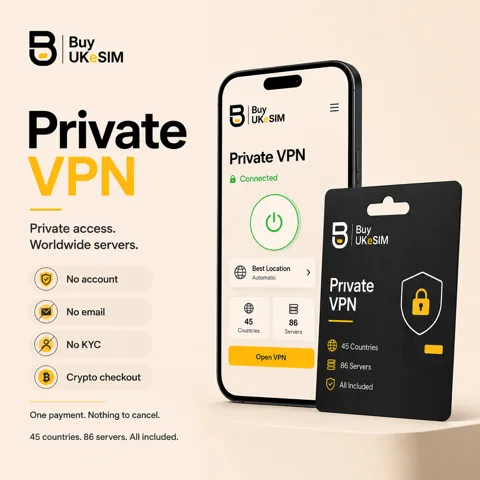
- VLESS is included in every plan, alongside WireGuard and OpenVPN, on one set of credentials
- Delivered as a vless:// link and QR on your order page, opened with an eight-character magic code
- Four CDN-fronted locations: Singapore, Tokyo, Los Angeles, Berlin
- Imports into v2rayNG, Hiddify, Shadowrocket, Streisand, v2rayN and Nekoray
- Five simultaneous devices, unmetered bandwidth, P2P allowed
- Crypto payment including Monero, no account and no email, nothing renews automatically
Every VPN plan we sell includes VLESS. You are not buying a separate VLESS product and you are not choosing a protocol at checkout: one payment gives you WireGuard, OpenVPN and VLESS across the whole network, and you pick per situation.
What arrives is a configuration, not an app. After payment your order page shows a vless:// link and a QR code for each of the four VLESS locations. You paste the link, or scan the QR, into whichever Xray client you already trust. Nothing to install from us, nothing to sign up for, no email address involved.
If you are not sure VLESS is what you want, read /what-is-vless/ first. It answers the protocol question without selling anything, including the part most pages skip: VLESS is what to try when simpler protocols are blocked, and no protocol can be promised on a given network.
How the access is delivered
Pay once in crypto and the order page appears immediately. It is reached by an eight-character magic code, which is the only credential in the whole system: no username, no password, no signup, no email required. Bookmark the page or write the code down, because it is how you come back for the configs, for another device, or to extend the plan.
On that page the VLESS section lists each location with a vless:// link, a copy button and a QR code. Desktop clients take the link from the clipboard; phone clients are usually quicker with the QR. The same credentials work on every device you own at the same time, up to five concurrent connections, so there is no per-device purchase and no re-issuing.
The link contains your account UUID. That is the entire authentication, so treat it the way you would treat a password: do not paste it into a public paste site, do not post it in a group chat, and if you think it has leaked, ask support to rotate it.
Which clients import it
Android: v2rayNG is the long-standing option and imports either the link or the QR directly. Hiddify is friendlier if you would rather not think about transport settings. Both are on F-Droid or as direct APKs, which matters on a device with no Google services.
iOS and iPadOS: Shadowrocket and Streisand both accept a vless:// link. Note that these are paid apps from the App Store, and Shadowrocket in particular is region-restricted in some storefronts, which is worth knowing before you rely on it.
Desktop: v2rayN or Nekoray on Windows, Hiddify on Windows, macOS and Linux, and on Linux the Xray core directly with a JSON config if you prefer to run it as a service. Any of these can be set as a system-wide proxy or used per-application through a SOCKS port.
We do not publish our own client, and that is deliberate. A VPN app is a large piece of software with network privileges that you would have to trust on top of trusting the network. Handing over a standard configuration lets you use a client that other people audit.
Four locations, and why the list is short
VLESS is available from Singapore, Tokyo, Los Angeles and Berlin. Two in Asia because that is where the networks that need it most are, one on the US west coast, one in Europe.
The list is short because a CDN-fronted endpoint is not the same kind of object as a plain VPN server. It needs a domain, a certificate, a CDN configuration and a route that stays healthy, and every one of those parts can break independently. Four endpoints that are watched are worth more than forty that are announced. If the count changes you will see it on /vpn/status/ rather than in a marketing claim.
WireGuard and OpenVPN run on the full network, which spans dozens of countries, so the short VLESS list is not a limit on the account. Use the nearest ordinary server when the network is not fighting you, and switch to VLESS when it is.
The honest order to try when a network blocks you
Start with WireGuard over UDP. It is the fastest of the three, the lightest on battery, and on a normal home, mobile or cafe connection it simply works. There is no reason to reach for anything more exotic until it fails.
If the handshake never completes, the usual cause is UDP being blocked or throttled, which is common on hotel Wi-Fi, corporate networks and some campus networks. Switch to OpenVPN over TCP on port 443. It is slower, because you are now running a reliable protocol inside another reliable protocol, but it leaves on the same port as HTTPS and a lot of networks that drop UDP will pass it.
If that fails too, the network is looking at more than ports, and VLESS is the next thing to try. It is carried inside TLS to a CDN address, which is the hardest of the three to distinguish from ordinary browsing. Try the nearest of the four locations first, then the others, since CDN routing differs by region and a location that is slow for someone else may be the fast one for you.
What we will not tell you is that this always ends in a connection. It usually does. A network that permits only a whitelist of destinations will stop all three, and no provider that tells you otherwise is being straight with you.
What one account covers
One set of credentials works on every server in the network and on all three protocols. Five devices can be connected at the same time. Bandwidth is not metered and there is no speed tier: the ports are 1 Gbps and what you get depends on distance and the network in between. P2P traffic is allowed rather than quietly throttled.
Plans run from 7 days to 365 days, priced per plan on /vpn/, and nothing renews automatically. There is no stored card because there was never a card. When you want more time you open the order page with the same magic code, pay again, and the new period is added on top of your current expiry rather than replacing it.
The VPN is also an add-on at checkout for the UK number and travel eSIM. One payment, one magic code, both products on the same order page, which is the practical reason to buy them together rather than separately.
Privacy at checkout, stated precisely
Payment is in crypto: USDT on TRC20, BEP20 or ERC20, plus ETH, BTC, SOL, TRX, XMR, USDC, BNB, LTC and DOGE. Monero is the one that leaves the least behind, and paying with it is a normal path here rather than a special request. There is no account to create, no email required and no identity check.
On the network side: no logs, meaning source IP addresses and connection timestamps are not stored, and the servers run from RAM so a reboot leaves nothing on the machine. That is what we control and what we will state. It is not a claim that a VPN makes you untraceable, which no VPN does. A VPN moves what your local network and access provider can see onto the VPN network, and you decide whether that trade is worth making.
Refunds follow the same principle of only promising what can be delivered: if the service does not connect on any server after working through it with support, it is refunded. Changing your mind is not a refund, and one slow server is not a refund either, because switching server or protocol fixes that in seconds. The full wording is on /refund/.
From payment to a working VLESS connection
- 1
Pick a plan and pay in crypto
Choose a period from 7 to 365 days on /vpn/ and pay with one of the supported coins. No signup, no email required, no identity check.
- 2
Save the magic code
Your order page opens automatically and is reached later with an eight-character code. Save it somewhere you will still have it in a year: it is the only way back to your configurations.
- 3
Install a client first
Get v2rayNG or Hiddify on Android, Shadowrocket or Streisand on iOS, v2rayN, Nekoray or Hiddify on desktop. Installing the client before you leave a working network is the step people regret skipping.
- 4
Import the link or scan the QR
Copy the vless:// link for the location you want and paste it into the client, or scan the QR code on screen. The client fills in the transport, TLS and fingerprint settings from the link itself.
- 5
Connect and verify
Start the tunnel, then check your visible IP address on any what-is-my-IP site. If it shows the location you chose, you are through.
- 6
Add the other three
Import the remaining locations while you have a working connection. Switching endpoints later is then one tap, which is exactly what you want on a network that starts interfering.
Questions & answers
Do I have to choose VLESS when I buy?
No. Every plan includes WireGuard, OpenVPN and VLESS on the same credentials, and you switch whenever you like. There is no protocol selection at checkout and no price difference between them.
Where do I get the vless:// link?
On your order page, which opens right after payment and is reached later with your eight-character magic code. Each of the four VLESS locations is listed there with a copyable link and a QR code.
Which app should I use on Android?
v2rayNG if you want the standard Xray client and do not mind its settings screens, Hiddify if you want something simpler that still handles the same links. Both import a vless:// link by paste or QR, and both are available outside the Play Store, which matters on a de-Googled phone.
Why are there only four VLESS locations?
Each one needs a domain, a certificate and a working CDN configuration in front of it, and those are maintained individually rather than spun up in bulk. Singapore, Tokyo, Los Angeles and Berlin cover the regions where the protocol is most needed. WireGuard and OpenVPN run on the full network across dozens of countries.
Will VLESS get me online in a country that blocks VPNs?
It is the thing to try when WireGuard and OpenVPN fail, because it is carried inside TLS to a CDN address and is hard to separate from ordinary browsing. Nobody can guarantee it for a named country, and we do not tie any refund promise to a specific network.
Can I use the same account on my phone and my laptop?
Yes, up to five simultaneous connections on one set of credentials, and there is no per-device fee. Import the same link on every device from the same order page.
Does the plan renew automatically?
No. Nothing renews and there is no stored payment method, because payment is in crypto and no card is ever involved. When you want more time, open your order page with the magic code and pay again; the new period is added on top of the current expiry.
What happens if none of the protocols connect?
Contact support and work through it with us. If the service does not connect on any server after that, it is refunded. What is not refunded is changing your mind, or one server being slower than another, since switching server or protocol solves that immediately.
More topics
Related guides
VLESS VPN access
A vless:// link and a QR code on your order page, importable into any Xray client. Four locations, no account, paid once in crypto.
See VPN plans