
BuyUKeSIM sells a real UK +44 carrier line as an eSIM QR for receiving WhatsApp Business verification codes. It is not VoIP and not a shared pool number, and it carries no data.
A UK Number for WhatsApp Business
Register the WhatsApp Business app on a real +44 carrier line you keep, and know exactly where that stops.
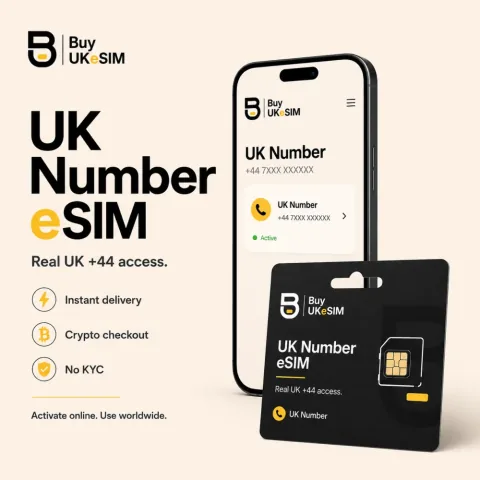
- Real UK +44 mobile carrier line delivered as an eSIM QR, not VoIP and not a shared pool number.
- Receives the WhatsApp Business SMS code or automated voice call anywhere in the world over roaming.
- No data on the line. WhatsApp Business runs on your existing Wi-Fi, SIM, or a travel eSIM.
- Sits alongside your personal number on a dual SIM phone, so no second handset is needed.
- $25 with six months included, then $15 every six months. Nothing auto-renews and no card is stored.
- Crypto only, no KYC, no signup, no email required. QR on screen seconds after on-chain confirmation.
WhatsApp Business asks for a number that can receive a six-digit code by SMS or automated voice call. That is the whole gate. What matters is not where you are but whether the line is real and whether it stays yours. Our UK number is a carrier mobile line delivered as an eSIM QR, so the code arrives the way it would on any UK handset, and the line does not vanish the moment the code is used.
Meta's own guidance for business phone numbers favours mobile lines and warns that VoIP numbers are not recommended for SMS verification. That is the practical case for a carrier line over a browser-based number. It is also the reason to be plain about the ceiling. We sell the line and the delivery. We do not control Meta's decisions, and we never promise that a given account will be approved.
Why WhatsApp asks for a number at all
WhatsApp has no usernames and no passwords in the ordinary sense. Your identity on the platform is the phone number, and the verification code exists to prove that whoever is installing the app can physically receive a message at that number right now. That is the entire security model, and it explains every rule built around it, including why one number cannot hold two live registrations at the same time.
It also explains why the number matters more than the account. Because the number is the credential, WhatsApp treats control of the line as control of the account, and the platform leans on carrier signals to judge whether a number is a real subscriber line or a temporary one from a shared pool. A line with normal carrier behaviour looks like what the system expects. That is the mechanism behind the advice here, not a trick.
The app and the Cloud API are two different things
The WhatsApp Business app is the free phone app a small business installs and runs itself. The Cloud API is Meta's programmatic tier for automation and larger volumes. They are not the same product and they do not carry the same requirements. Our number is aimed at the app, where the requirement is simply a number that can take a verification code and hold the registration afterwards.
Meta's documentation states that numbers already in use with WhatsApp cannot be registered on the Cloud API unless they are deleted first, and it runs a separate business verification process involving company documents. We supply a phone line. We do not supply company registration papers, a Business Manager account, or approval for that tier. If the Cloud API is your destination, treat the number as one input among several, not the answer.
Why a carrier line and not a VoIP number
Verification codes for messaging apps are routinely filtered on the carrier side, and numbers drawn from shared online pools have often already been used to register and abandon accounts. A number with that history starts compromised. Ours is a UK mobile line issued against your purchase, held for the term you paid for, and not recycled between customers while it is yours.
Meta's supported number types list is explicit that mobile numbers work best for both SMS and voice verification, and that VoIP numbers are not recommended for SMS. That does not make a carrier line a guarantee of anything. It makes it the option that fits the documented requirement instead of working against it.
Data, dual SIM, and how this actually runs
Our UK number carries no mobile data at all. It receives SMS and calls, worldwide, over roaming. WhatsApp Business itself needs an internet connection, and that comes from wherever you already get one: home Wi-Fi, your existing SIM, or one of our travel eSIMs in the other slot. The UK line handles identity and the other connection handles traffic. They are separate jobs.
In practice a modern dual SIM phone runs both without a second handset. You keep your existing number for personal use, add the UK eSIM alongside it, and register WhatsApp Business against the +44 line. Nothing about your existing number, plan, or carrier changes. The one hard prerequisite on your side is a handset that supports eSIM.
Keeping the registration alive
A WhatsApp registration is tied to the number behind it. If the number goes away, so does your ability to re-verify on a new device. That is why a rented number returned to a pool after a month is a poor foundation for a business account. Our UK line is $25 with the first six months included, then $15 every six months if you choose to continue.
Nothing auto-renews and no card is stored, which means renewal is a decision you make rather than one made for you. It also means the responsibility is yours. If you let the line lapse and later need to re-verify, that path is closed. The install QR is single use, and a deleted UK-number profile is never reissued, so do not delete the profile expecting a replacement.
How to set up WhatsApp Business on a second number
- 1
Check your handset supports eSIM and has a free profile slot. On iPhone this is under Settings, Mobile Service. On most Android phones it is under Network and internet, SIMs. If the phone takes one physical SIM and no eSIM, nothing below will work.
- 2
Get a second number that can receive an SMS or an automated voice call and that you can hold for as long as you want the account. A UK line from us installs by scanning one QR code and is $25 with the first six months included.
- 3
Install the profile and label the new line clearly, for example Work, so your phone shows which line each call and message arrived on. Leave your existing SIM as the default for mobile data and personal calls.
- 4
Turn on Data Roaming for the eSIM line. Our UK line delivers SMS and calls over roaming, and with roaming switched off for that profile no code will arrive. This is the most common reason a new line looks dead when it is not.
- 5
Prove the line works before you touch WhatsApp. Check it shows signal, dial *132# or *#100# on that line to read the number back, and request a code from an unrelated service to confirm SMS is landing.
- 6
Install WhatsApp Business, enter the number in full international format, and request the code. If nothing arrives, wait rather than requesting repeatedly, then use the voice call option. Registration can take one to six hours to settle in some countries.
Questions & answers
Can I use this number for the WhatsApp Business app?
Yes, that is the intended use. The app needs a number that can receive a six-digit code by SMS or automated voice call, and our UK line receives both worldwide. You install the eSIM, take the code, and complete registration. We do not guarantee that Meta will accept any specific number or account, and there are no refunds for app rejection. Delivery and payment faults are always ours to fix.
Will it work with the WhatsApp Cloud API?
We cannot promise that. The Cloud API is a separate tier with its own requirements, including a business verification process involving company documents that we have no part in. Meta's documentation also says numbers already in use with WhatsApp must be deleted before they can be registered on the API. Our product is a phone line suited to the app. Treat the API route as a separate project with separate obstacles.
Do I need mobile data on the UK number?
No, and the line does not have any. WhatsApp Business connects through whatever internet your phone already uses: Wi-Fi, your existing SIM's data, or a travel eSIM from us in the other slot. The UK number's only job is to receive the verification code and any later SMS or calls to that line. Identity and connectivity are two separate things, and this product only does the first.
Can I keep personal WhatsApp on the same phone?
Yes. On a dual SIM phone your existing number stays exactly as it is on personal WhatsApp, and the UK eSIM sits alongside it for WhatsApp Business. The two apps run side by side against different numbers. Nothing needs to be ported or removed, and your current carrier arrangement is unaffected. Your handset does need to support eSIM, which most phones sold in recent years do.
What happens if I stop renewing?
The line stops, and with it your ability to re-verify that WhatsApp Business registration on a new device. Renewal is $15 every six months and it is entirely opt-in, since nothing auto-renews and we store no card. If a long-lived business account matters to you, treat the renewal date as a calendar item. The install QR is single use and a deleted profile is never reissued.
More topics
A UK Number for WhatsApp Business
Register the WhatsApp Business app on a real +44 carrier line you keep, and know exactly where that stops.
Buy UK eSIM - $25