
For anyone outside the UK keeping a UK Apple account reachable: expats, students, and people who moved country.
UK number for iCloud
A real +44 mobile line that receives the iCloud code. Straight about the part a phone number solves, and the part it does not.
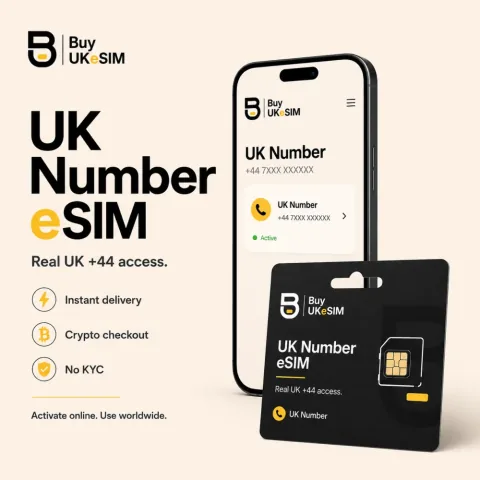
- Real UK +44 carrier line, not VoIP, for the iCloud verification code
- Receives SMS and calls in 190 countries, not only in the UK
- Works as an Apple trusted phone number on a second account
- Does not change your App Store region - Apple decides that
- Crypto checkout, no KYC, QR on screen in minutes
iCloud sends its verification code by SMS or automated call to a trusted phone number. Apple does not reliably accept VoIP or virtual numbers for that slot, which is why a code that never arrives is usually a number problem rather than an account problem. A BuyUKeSIM +44 is a genuine carrier line, so the code is delivered the way Apple expects.
Two situations bring most people here: keeping a UK-region Apple account usable from another country, and getting back into an account whose trusted number stopped working. They need different things, so they are answered separately below.
What a UK number does for iCloud, and what it does not
It does one thing well: it is a trusted phone number Apple accepts, on a real carrier, that receives the verification SMS and the automated call worldwide. If your code is not arriving because the number on the account is a virtual one or a SIM you no longer hold, that is the problem this solves.
It does not set your App Store or iCloud region. Apple decides that from the payment method and billing address on the account as well, and we have no influence over it. Anyone telling you a phone number alone moves your store region is selling you something. Buy the number for the code, not for the region.
It also does not carry mobile data. It is an incoming SMS and calls line, so you install it alongside your normal SIM and use your existing data or Wi-Fi.
Keeping a UK Apple account reachable after you move
The common version of this: you had a UK SIM, you left the country, the SIM lapsed, and the trusted number on your Apple account is now a line you cannot receive anything on. Everything keeps working until Apple asks for a code, and then it does not.
A +44 eSIM restores that. It roams on UK carriers, so it receives its SMS and calls in 190 countries, not only inside the UK. You add it as a trusted number while you still have access, and the account has a route to you again.
Do this before you lose access, not after. Adding a trusted number requires being signed in; recovering an account without one is Apple’s account recovery process, which takes days and is out of our hands.
A second account, kept apart from your personal SIM
A separate Apple account for a child’s device, a spare tablet, a work device, or app testing needs a trusted number that is not your main line. Reusing your personal number ties the accounts together and puts every recovery code on one device.
Checkout is crypto with no KYC and no account on our side, so the purchase does not appear on a bank statement. That is privacy at checkout, not anonymity from Apple: whatever you tell Apple is between you and Apple.
Add a UK number as an Apple trusted phone number
- 1
Install the eSIM
Scan the QR that appears after payment. It installs alongside your existing SIM, so your normal line keeps working.
- 2
Confirm the number
Dial *132# on the new line to see your +44 number, and leave Data Roaming on so it can register with a UK carrier.
- 3
Add it in Settings
On your device, open your Apple Account settings, then Sign-In & Security, then Two-Factor Authentication, and add the +44 as a trusted phone number.
- 4
Verify it
Apple sends a code to the new number. Enter it to confirm the number is reachable.
- 5
Keep the number alive
The number runs in 180-day blocks. Renew it, or prepay 12 or 24 months, and set the expiry reminder on your order page. A lapsed number is a trusted number that stops answering.
Questions & answers
Will a UK eSIM number receive my iCloud verification code?
It is a real UK carrier line, so it receives the SMS and the automated call the way any UK mobile does, worldwide. Standard verification works this way, though no provider can guarantee how a given account is treated.
Does buying a UK number change my App Store country to the UK?
No. Apple sets the store region from the payment method and billing address on the account as well as other signals, and a phone number does not override that. The number is for receiving the code.
I lost the SIM that was my trusted number. Can this get me back in?
Only if you can still sign in to add the new number. Adding a trusted number requires access to the account. If you are already locked out, that is Apple account recovery, and we cannot shortcut it.
Can I use one UK number for two Apple accounts?
Apple allows a number to be a trusted number on more than one account in many cases, but it also ties those accounts together for recovery. If the point is separation, use a separate line for each.
Does the number expire?
The number runs in 180-day blocks. It stays active for $15 every 6 months, or 12 and 24 months can be prepaid at a discount. A line that passes its end date is released and cannot be recovered, so set the reminder on your order page.
More topics
UK number for iCloud
A real +44 mobile line that receives the iCloud code. Straight about the part a phone number solves, and the part it does not.
Buy UK eSIM - $25