
Data plans for 190+ destinations from $1.99, bought without an account or an ID.
Turning a no-ID data eSIM into a hotspot
One data plan, shared from your phone to the devices that need it
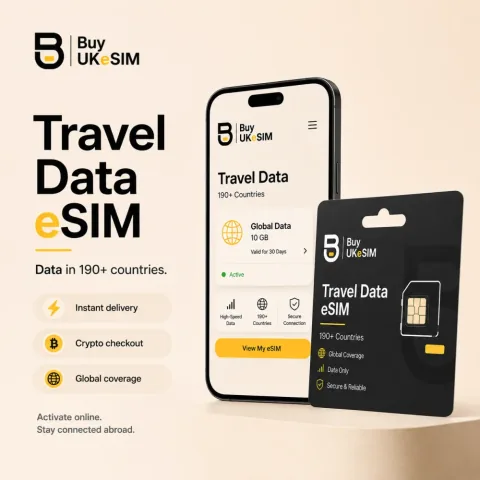
- Most phones can share a data eSIM as a personal hotspot over WiFi, USB or Bluetooth.
- On a dual-SIM phone, set the eSIM as the data line before starting the hotspot.
- Laptops burn data far faster than phones; plans run up to 50GB and can be topped up without a new QR.
- Tethering is a device and network feature, so it cannot be guaranteed for every handset.
- Sharing changes nothing about what the mobile network sees; the privacy is in how the plan was bought.
A data eSIM installs in a phone, but the connection does not have to stay there. Most phones can share mobile data as a personal hotspot, which turns a plan bought for one device into a connection for a laptop, a tablet, a console or a travel router.
That is the setup a lot of people are actually after: a working internet connection for a workstation, bought without registering an identity against it. This page covers how the sharing works, what limits it, and where the honest boundaries are.
How the sharing actually works
The eSIM profile behaves like any other mobile data line, so the phone treats it as a normal source of connectivity. In the settings you switch on the personal hotspot, give it a name and a password, and other devices join it as they would any wireless network. On most phones you can also share over USB or Bluetooth, which is slower but easier on the battery.
One thing to set before you start: if the phone also holds a physical SIM, make sure the hotspot uses the eSIM as its data line rather than the other one. Both plans are visible to the phone and the wrong choice quietly spends the wrong plan.
What limits it
Tethering is a device feature, not something we can guarantee: most phones allow it, some carrier-locked handsets restrict it, and how well it performs depends on the local network the profile roamed onto. Speeds and coverage belong to that network, not to us.
Data goes faster than people expect once a laptop is on the line. A desktop browser, an operating system that updates itself and a cloud drive that syncs will chew through a small plan in a day. If the hotspot is the plan for a working week rather than for a phone, buy the larger bundle; plans go up to 50GB and topping up an installed plan does not change the QR code.
The boundary worth being clear about
Sharing the connection does not add privacy and does not remove any. Every device on the hotspot reaches the internet through the same mobile network, and that network sees the profile identifier, the handset identifier and the cells it uses, exactly as it would for the phone alone.
What the eSIM does give you is a connection bought without an identity check, and an exit country you can read before you buy: each destination page publishes where its plans break out, which is the country a website sees you connecting from. That changes what a site sees, not who you are.
Setting up the hotspot
- 1
Install the data eSIM
Scan the QR on the order page. The profile appears in the phone alongside any existing SIM.
- 2
Set it as the data line
In mobile data settings, choose the eSIM profile as the line that carries data. On a dual-SIM phone this is the step people skip.
- 3
Switch on the personal hotspot
Name it, set a password, and turn it on. Prefer 5GHz if the phone offers it, and keep the phone on power for long sessions.
- 4
Watch the meter, not the clock
A laptop uses data much faster than a phone. Check usage after the first hour so you know the burn rate, and top up the same plan if you need more.
Questions & answers
Can I use a data eSIM as a hotspot?
On most phones, yes. The eSIM behaves like any mobile data line, so the personal hotspot feature shares it with a laptop or tablet. Some carrier-locked handsets restrict tethering, which is a device limitation rather than a plan one.
Does tethering use more data?
The sharing itself does not, but the devices you connect do. A desktop browser, system updates and cloud sync consume far more than a phone would in the same hour, so size the plan for the laptop rather than for the phone.
Can I use it with a travel router?
If the router accepts an eSIM profile or you tether the phone to it, yes. Many small travel routers take a USB tether from a phone, which is a common setup for a workspace with several devices.
Do I need an account to buy the plan?
No. There is no account, no identity document and no card: you pay in cryptocurrency and the QR arrives on the order page, which you reopen later with an 8-character code.
Does a hotspot make my connection anonymous?
No, and we will not pretend otherwise. Every device on the hotspot goes through the same mobile network, which sees the usual subscriber identifiers. What the plan gives you is a purchase with no identity check attached.
More destinations
Related guides
Turning a no-ID data eSIM into a hotspot
One data plan, shared from your phone to the devices that need it
Browse Travel eSIM →